Looking to boost your web scraping or browse anonymously using proxies?
This guide will show you how to use cURL with Proxying’s high-speed HTTP, HTTPS, and SOCKS5 proxies. Whether you’re bypassing site blocks or securing your data, we’ll walk you through everything you need to get started.

What is cURL?
cURL (Client URL) is a command-line utility employed for transferring data to or from a server, supporting various protocols such as:
- HTTP
- HTTPS
- FTP
It’s the preferred tool for developers for rapid testing, API requests, and automation.
Why use Proxies with cURL?
See, here’s the catch:
Without a proxy, every request originates from your actual IP address. This indicates that:
- Your tasks involving scraping or automation will be hindered
- Your privacy will be at risk
- You cannot access geo-restricted content
Proxying’s proxies, be it datacenter, residential, or mobile, provide quick, secure links to maintain the anonymity of your requests and protect your data.
Now, let’s look at how to use cURL with a proxy.
Ensure the cURL is installed:
Before diving into the fun stuff, let’s make sure that cURL is installed and properly working in your system.
For Windows:
- Open a terminal (or cmd on Windows) and
curl --versionYou should see a version number and release date as:

If you don’t have cURL installed, follow the instructions on curl.se.
For Linux
- Open the terminal and type:
You should see the following screen:
curl --version
If cURL isn’t installed, run the following command:
sudo apt install curlWhat Information Do You Need to Connect to Your Proxy
To use Proxying’s proxies with cURL (or any proxies from any other proxy provider, for that matter), you will require:
- Proxy IP and port: Available in your Proxying dashboard or your favorite proxy provider.
- Username and Password: For authentication (if required)
- Proxy Type: HTTP, HTTPS, SOCKS4, or SOCKS5
Remember: You can try it out for free without needing any credit cards!
Send a Basic HTTP Proxy Request
Let’s start with a simple HTTP proxy request using cURL. Here’s an example command to check your IP:
curl -x http://username:password@proxy_ip:port "https://www.proxying.io/"Remember: You have to use your credentials and the proxy provider in place of the placeholder.
Here’s a breakdown of the command:
- -x http://username:password@proxy_ip:port: Configures cURL to route the request through Proxying’s HTTP proxy server.
- http://: Specifies that this is an HTTP proxy.
- username:password: Your Proxying authentication credentials, which you can find in your dashboard at https://www.proxying.io. These ensure that only you can use the proxy.
- proxy_ip:port: The IP address and port number of the Proxying.io proxy server, also provided in your dashboard.
- “https://www.proxying.io/”: The target URL, which is the Proxying homepage. The quotes ensure the URL is parsed correctly, especially if it contains special characters. This tells cURL to fetch the webpage’s content via the proxy.
Using a SOCKS5 Proxy
Want to use Proxying’s SOCKS5 proxies for increased versatility? Here‘s the process;
curl --socks5 socks5://username:password@proxy_ip:port "https://www.proxying.io/"Remember: You have to use your credentials and the proxy provider in place of the placeholder.
socks5://: Tells cURL to use the SOCKS5 protocol — ideal for more complex scraping or non-HTTP traffic.
However, SOCKS5 proxies developed for proxying are oriented on performance (high speed) and absolute wide compatibility, which makes them a really good choice in more demanding use cases.
Handling HTTPS and SSL
In the case of secure (HTTPS) websites, Proxying will take care of you with its HTTPS proxies. As before, use the same -x option.
Tip: Having problems testing with an SSL certificate? Use the -k option to skip them
curl --socks5 socks5://username:password@proxy_ip:port "https://www.proxying.io/"
Remember: You have to use your credentials and the proxy provider in place of the placeholder.
In case of production, it is best to make sure that your proxy address SSLs properly and safely.
Common Pitfalls to Avoid
- Case Sensitivity: Proxying’s proxy credentials are case sensitive, so double-check your username and password.
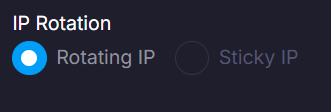
- Rate Limits: If you’re scraping heavily, set up IP rotation in Proxying’s dashboard to avoid bans.
- Geo-Targeting: Require a proxy from a particular nation? Utilize Proxying’s dashboard to choose IPs from more than 70 countries, such as the USA, Germany, or Japan.
Start Testing Proxying’s Performance Today
So by now you should know how to use cURL with Proxying HTTP, HTTPS, and SOCKS5 proxies, it is time to practice now!
Whatever the application (data scraping, evading geo-blocks, or multi-account management), Proxying can support your scalable proxy deployment with bandwidth and speed.
Summary
cURL is a powerful command-line tool with top-notch proxy support, ideal for automation and web scraping. Its integration with PHP, Python, and JavaScript, plus capabilities like API interactions and HTTP header display, make it a developer’s go-to. Explore our guides for more insights.