

Getting your IP banned during a browsing session is both painful and frustrating.
Websites blocking your IP means you aren’t able to interact with those sites or collect data from them. This is where knowing how to bypass an IP ban becomes very useful.
In this guide, we will cover how to bypass an IP ban using various techniques, providing you with the solution you are looking for.
Why Does a Website Ban Your IP Address?
Before understanding why a website bans your IP address, it is important to understand how websites make a blocking decision. Most modern websites have automated processes based on data collected from millions of connections.
Every time you connect to a website, the server receives your IP address before accepting your requests. It runs multiple queries on its firewall rules, IP reputation databases, global spam blacklists, and geo-restriction filters. If any check returns a negative result, your connection gets refused before any page loads.
If you want to understand how websites identify your connection, see our guide on what an IP address is.
There are many reasons why websites decide to block IP addresses in 2026. Here are some of them:
- Spam IP address: Your IP address appears in a spam database. This happens when you or a previous user of the IP address was linked to some spam email or malware. Websites automatically block spam IP addresses without any manual check.
- Rate limiting triggered: You made too many requests in a short time. For example, accessing 70+ pages in a minute will make the website think that you are using a bot. The site flags it as a bot or a DDoS attack.
- Bad inheritance: You inherit an IP address that was previously used by a Spammer. You did nothing wrong; your IP just had a bad reputation.
- Malware on your network: Any devices on your network, like your computer, phone, smart TV, or router itself, are infected by malware that sends automated requests or performs a malicious operation. You may not notice any signs of it, but the website can track harmful traffic coming from your IP.
Best Methods to Bypass an IP Ban
In this section, we’ll discuss an array of strategies, including, but not limited to, using a proxy or installing a VPN application on your device.
Use a Proxy
When it comes to bypassing IP bans, one can hardly underestimate the power of proxy servers. These servers act as intermediaries between your computer and the website you are targeting for data scraping.
Here’s how this approach works: Instead of directly interacting with the website, you connect to the proxy server, which then connects to the website. The critical advantage here is that the proxy server masks your actual IP address it provides.
As a result, when your requests reach the website, they appear to originate from the proxy’s IP address, not yours. This is one of the reasons why proxies are considered one of the most effective methods to combat the IP address ban.
With your scraper shifting between various proxies, your scraper activity mirrors the behaviour of multiple users accessing from different locations rather than one user or bot making multiple requests. You can learn more about rotating IP addresses and how rotating proxies work.
Download a VPN
A virtual private network (VPN) works in almost the same fashion: it creates a secure, encrypted tunnel for your internet traffic. It also provides you with a new IP address. VPNs, such as ExpressVPN or SuperFree VPN, can serve as an effective tool for bypassing IP bans, while providing an extra layer of protection.
The ability to change your device’s geographical location server makes it possible for you to gain access to web pages where your scrapers are running.
While they are convenient for changing your IP address for immediate debugging, for robust and scalable web scraping projects, an alternative solution like proxy servers could offer better results than a VPN.
Restart Your Router

A router is a hardware device that connects local devices to the internet and manages data traffic between computer networks. In simple words, your router assigns IPs to all the connected devices.
In some cases, restarting your router can give your device a different public IP; it depends on your ISP and connection type.
Here’s how you can bypass the IP ban via this approach:
- Locate the router in your house/office
- Turn off your router
- Wait for a few minutes
- Turn it back on
- Once your internet is restored, check your public IP address
- If your IP has changed, you can test the website again
- This time, you will be able to access the website (since your device has a different public IP address now).
You can learn more about how to change your IP address and the other ways to modify your public IP address.
Connect to a Mobile Network
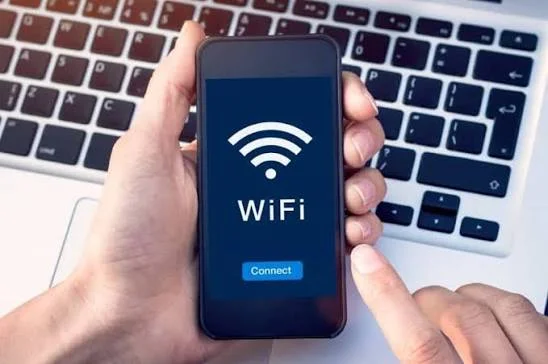
Switching from your regular Wi-Fi connection to a mobile network can give your device a different public IP address.
For example, if your home internet IP has been blocked, you can disconnect from Wi-Fi and use your phone’s mobile data. You can also use your phone as a hotspot and connect your computer to it.
This method can work as a quick troubleshooting option, especially when you need to determine whether your regular IP address is the source of the problem.
Contact Your Internet Service Provider

If none of these methods work, the only option left is to contact your Internet Service Provider (ISP).
Explain to them that your public IP is being blocked and ask whether they can assign you a different IP address. Now, whether they accept your request depends on your connection type and IP assignment. You can also learn how to find your IP address if you are unsure where to find it.
Final Thoughts
Long story short, an IP ban can interrupt your scraping project or any other online browsing session. While methods such as a VPN, router restart, connecting to a mobile network, or contacting your ISP can work for occasional problems, proxies are known as a much more effective way to avoid your IP address getting banned in the long term.
Preventing IP bans in the first place is a much better option. For this, you can always rely on an appropriate proxy setup like Proxying when your project requires multiple IP addresses. For more options, see our guide to the best web unblocking tools.


