

Web scraping is one of the most efficient ways to collect data from websites, whether it’s product prices, company details, customer reviews, or market insights. Doing this manually takes hours or even days, which is where Crawlee comes in.
Crawlee simplifies web scraping and browser automation, making it fast, scalable, and reliable. In this guide, you’ll learn how to install, set up Crawlee for web scraping, and build a simple scraper step by step.
What is Crawlee?
Crawlee is an open-source web scraping and browser automation library for Node.js, developed by Apify. It is designed to help developers collect data from websites efficiently, whether the pages are static or heavily dependent on JavaScript.
Unlike traditional scraping tools that focus only on HTTP requests or only on browser automation, Crawlee combines both approaches in a single framework. That gives you the flexibility to choose the best method depending on the website you are targeting.
Key Features of Crawlee
Crawlee includes several built-in features that simplify web scraping and make crawler development more reliable, efficient, and easier to manage.
Flexible Crawling Modes
Crawlee is designed to handle different types of websites without adding unnecessary complexity. It supports both HTTP-based crawling and browser-based crawling, allowing you to adapt your approach based on the target website.
Built-in Concurrency Handling
Crawlee includes built-in support for concurrency, which allows multiple pages to be processed at the same time. This improves scraping efficiency without requiring manual optimization. At the same time, it ensures that the system resources are used effectively.
Automatic Retry System
Scraping workflows often encounter failures due to network issues or temporary server errors. Crawlee addresses this with an automatic retry system that attempts failed requests again without interrupting the entire process.
Proxy Support for Blocking Prevention
When sending a large number of requests, websites may block or limit access based on IP activity. Crawlee provides built-in proxy support, allowing requests to be routed through different IP addresses.
Easy Data Export Options
After extracting data, Crawlee makes it easy to store and reuse it in different formats. It supports exporting results into JSON or CSV, which are commonly used in data analysis workflows.
Why Use Crawlee for Web Scraping?
Crawlee provides a unified system that efficiently handles requests, retries, and browser automations . It also offers greater flexibility than many traditional tools, supporting both HTTP requests and full browser rendering.
How to Install Crawlee
Before installing Crawlee, ensureNode.js is installed on your system. If not, install it from their official website.
Once your environment is ready, you can create a new folder and initialize it using npm. This step sets up the basic structure needed for dependencies.
npm init -y
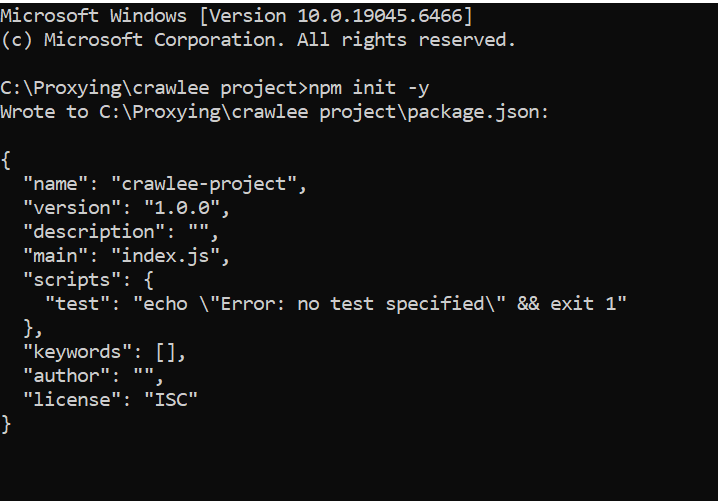
After initializing the project, you can install Crawlee using npm.
npm install crawlee
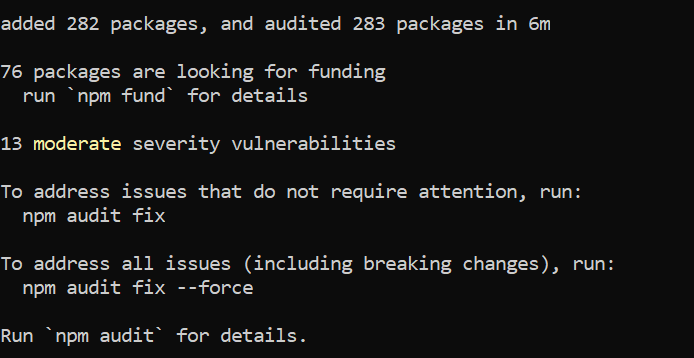
Once the installation is complete, you can create a file such as crawler.js to begin writing your scraping script.
Verifying the Installation
To confirm that Crawlee has been installed correctly for web scraping, you can run a simple script that fetches a webpage and extracts its title. This serves as a basic test to ensure that everything is working as expected.
import { CheerioCrawler } from 'crawlee';
const crawler = new CheerioCrawler({
  async requestHandler({ request, $ }) {
    console.log(`Visiting: ${request.url}`);
    // SEO title (browser tab title)
    const seoTitle = $('title').text().trim();
    // Main visible heading
    const h1 = $('h1').first().text().trim();
    console.log('SEO Title:', seoTitle);
    console.log('H1 Title:', h1);
  },
});
await crawler.run(['https://www.proxying.io']);Running this script will display the page title in your terminal.
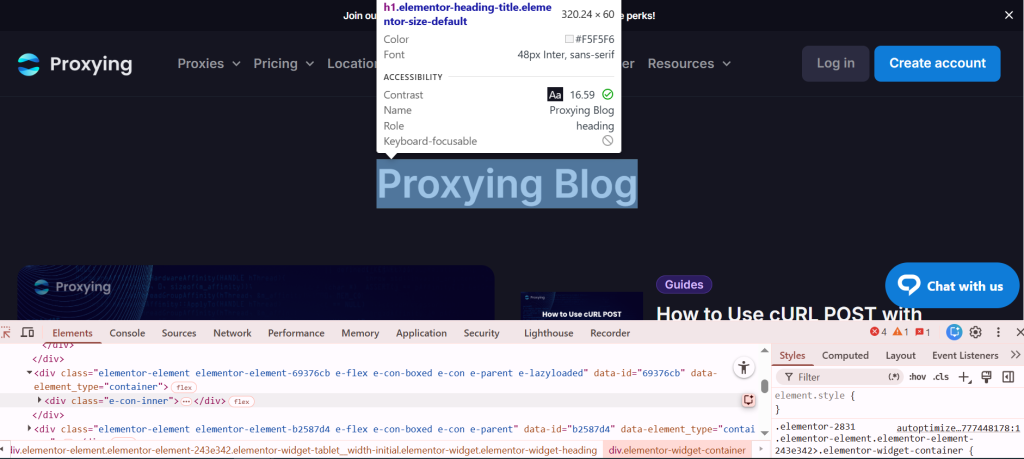
To find the HTML tags, press “Ctrl+Shift+i”. It will take you into inspect mode. Right-click on this button and hover your cursor over the desired area.

It will show you the HTML headers.
How Crawlee Works
Crawlee operates by sending requests to web pages and processes responses through a handler function. This handler defines what happens when each page is visited and allows you to control the scraping logic in a structured way.
This way, you can extract content such as texts, links, or images using parsing tools. Crawlee also manages how requests are queued, retired, and executed, which helps streamline the entire scraping workflow from start to finish.
Simple Web Scraping Example
A basic Crawlee scraper can be used to extract article headers from a webpage. In this example, the crawler visits a URL and collects text from specific heading elements.
import { CheerioCrawler } from 'crawlee';
const crawler = new CheerioCrawler({
  async requestHandler({ request, $ }) {
    console.log(`Visiting: ${request.url}`);
    const headings = [];
    // Extract all headings h1 to h6
    $('h1, h2, h3, h4, h5, h6').each((_, el) => {
      const text = $(el).text().trim();
      if (text) {
        headings.push({
          tag: el.tagName,
        });
      }
    });
    console.log('Captured headings:', headings);
  },
});
await crawler.run(['https://proxying.io']);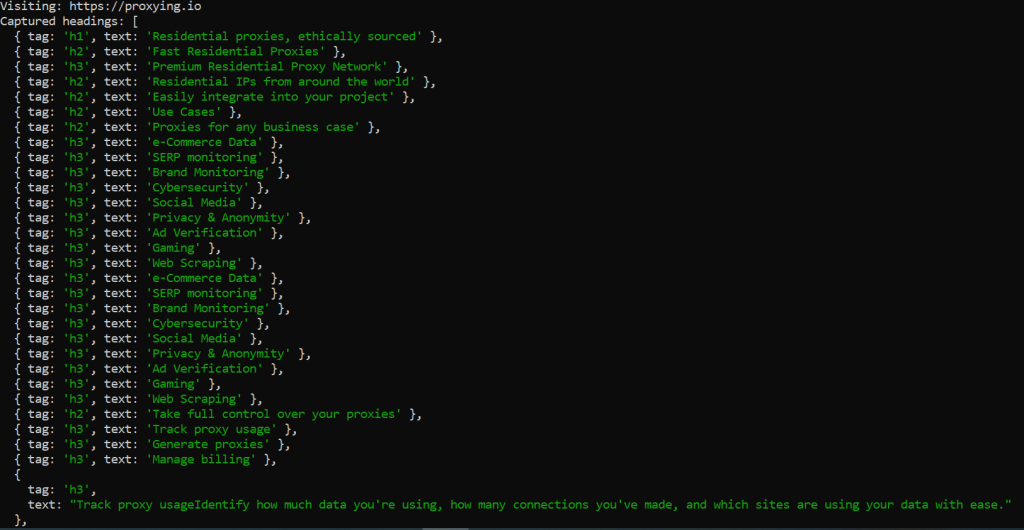
This example demonstrates how Crawlee can quickly extract structured data from a page with minimal setup.
Managing Proxies in Crawlee
When scraping multiple pages or large datasets, using a single IP address leads to blocks or rate limits. Crawlee addresses this by allowing you to configure Proxying’s proxies directly within your scraper.
Rotating IP addresses across the requests reduces detection and maintains more consistent access to the target websites. This approach is particularly useful for long-running or large-scale scraping operations.
import { CheerioCrawler, ProxyConfiguration } from 'crawlee';
const proxyConfig = new ProxyConfiguration({
  proxyUrls: [
    'http://user:pass@proxy1.example.com:8000',
    'http://proxy2.example.com:8000',
  ],
});
const crawler = new CheerioCrawler({
  proxyConfiguration: proxyConfig,
  async requestHandler({ request, response }) {
    console.log(`URL: ${request.url} - Status: ${response.statusCode}`);
  },
});
await crawler.run(['https://example.com']);This setup allows Crawlee to manage proxy rotation automatically, making the scraping process more stable and scalable.
Conclusion
Crawlee provides a comprehensive solution for modern web scraping and browser automation. By combining HTTP requests with browser-based rendering, it offers flexibility for handling a wide range of websites and use cases.
Its built-in support for retries, concurrency, and proxy management reduces the need for manual configuration, allowing developers to focus more on extracting and using data.
Whether you are working on a small project or building a large-scale data pipeline, Crawlee offers a reliable and efficient foundation for your scraping workflows.


