


Tor Browser is designed to improve online privacy by routing your traffic through the Tor network. Adding a proxy can give you another layer between your connection and the Tor network.
If you want to use a proxy with Tor Browser, the setup only takes a few configuration changes. This guide explains how to set up proxies in Tor Browser, avoid common mistakes and issues such as DNS leaks, and choose a suitable proxy.
Why Use a Proxy with Tor Browser
Adding a proxy server before connecting to the Tor network offers several advantages:
- Bypassing restrictions: Some countries or networks block access to the Tor network or the Tor project website itself. By first connecting to a proxy server located in an unrestricted area, you can often prevent these blocks and connect to Tor freely. Residential proxies are effective as they are associated with real users.
- Protecting your real IP: When you connect to a proxy before Tor, the Tor server sees the proxy’s IP address, not your actual home IP. This shields your original IP address from the Tor network entirely.
- Speed Improvements: Tor’s multi-layer security system automatically adds latency, slowing things down a little bit. Choosing a proxy server location might help you optimize your route to your final destination. If speed is a concern, you should use datacenter proxies, as they are known for their fast speeds.
How to Set Up a Proxy with Tor Browser
Setting up proxies in Tor Browser is particularly important and easy. Here are the steps you can follow if you want to set up a proxy:
Download and Launch the Tor Browser
If you don’t have the Tor Browser installed on your device, visit the official Tor Browser page and download it.
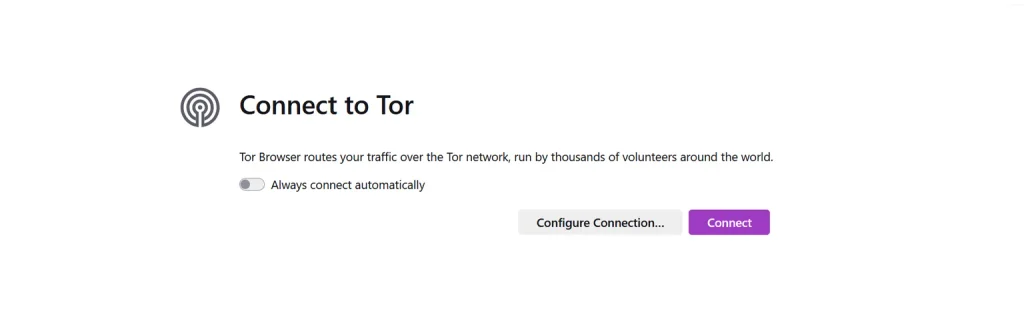
After installing the browser, launch it. You will see the following screen.
Connection Settings
From Home Page
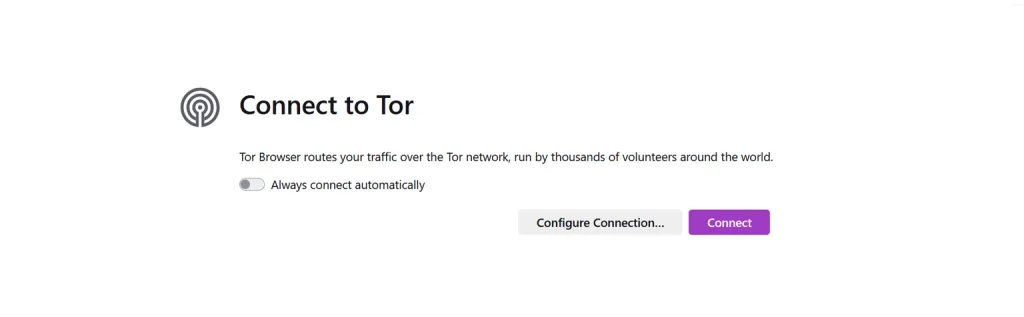
Under the “Connect to Tor” section, click the Configure Connection option.
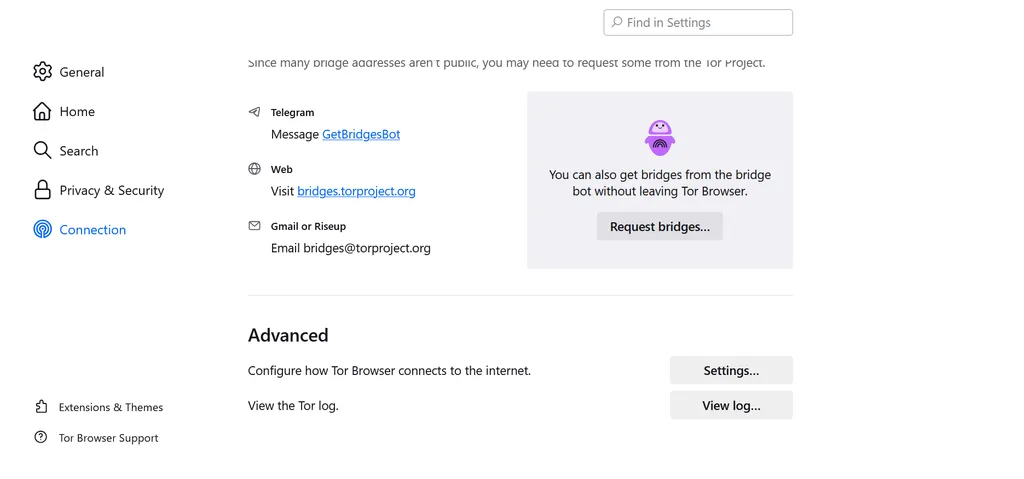
Then, scroll to the bottom of the page. You will see the Advanced section, where you have to click the Settings button.
HamBurger Menu
There is a different way to navigate to settings.
You will see a hamburger menu at the top right corner of the browser. A pop-up menu will appear.
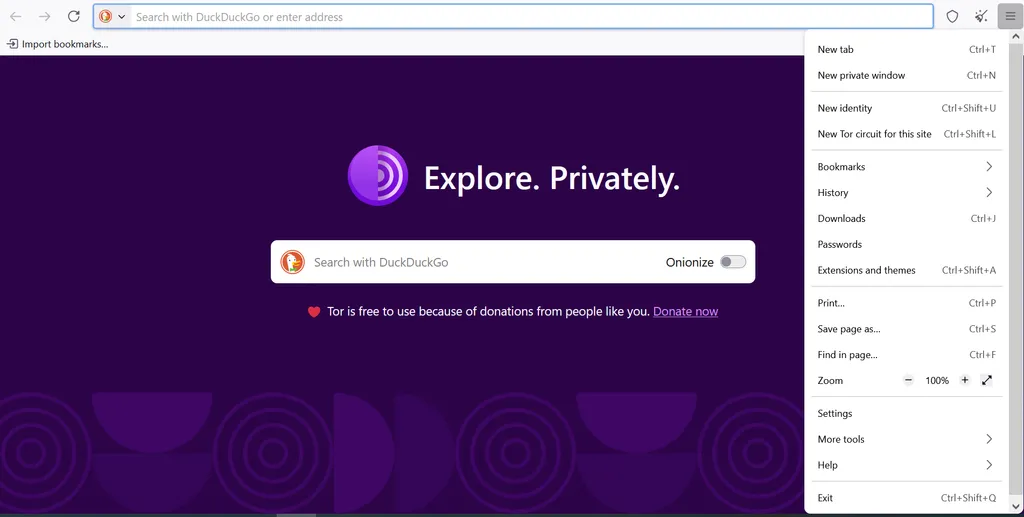
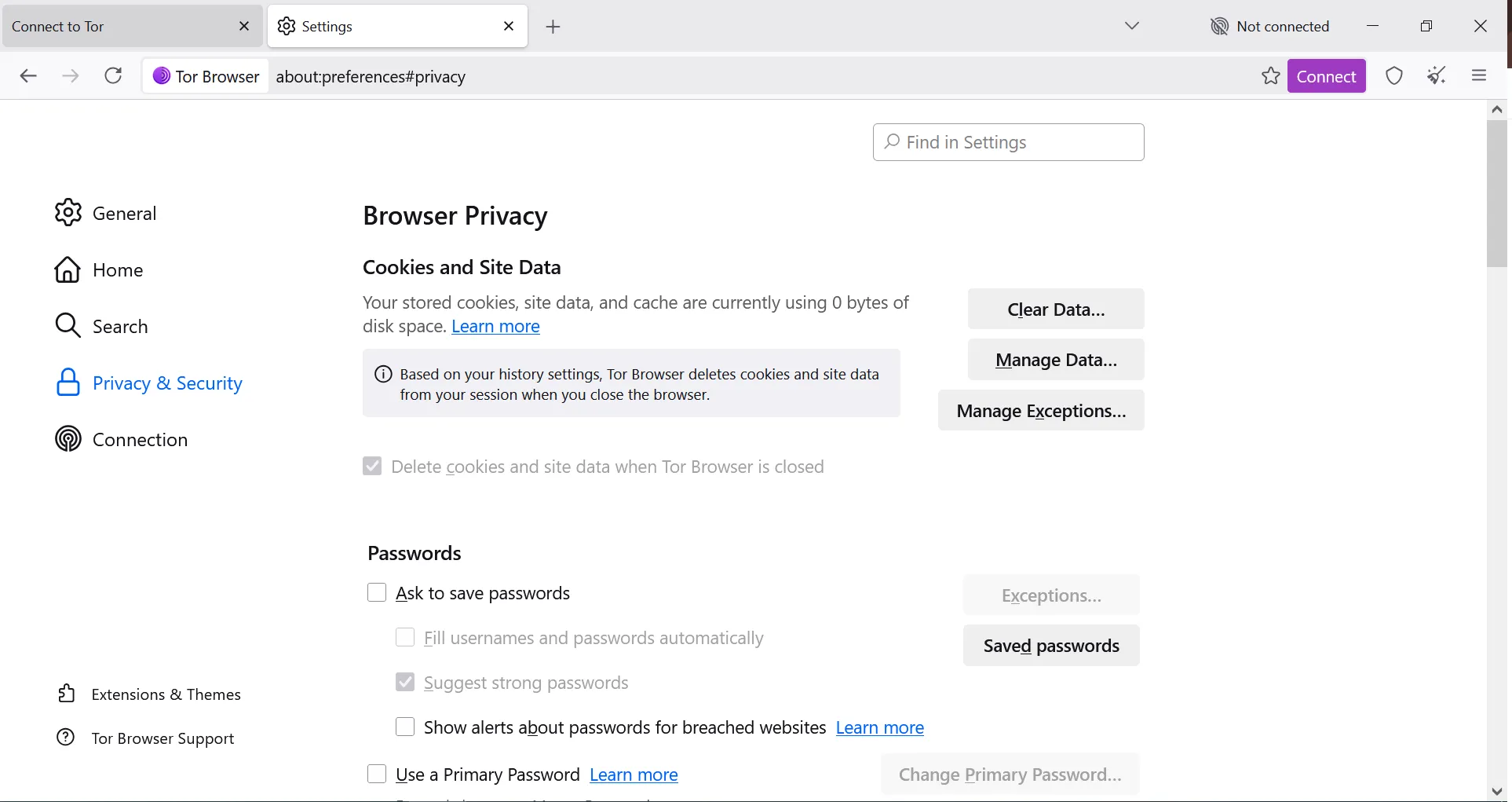
If you click Settings > Connection, it will take u in connection settings
Proxy Settings
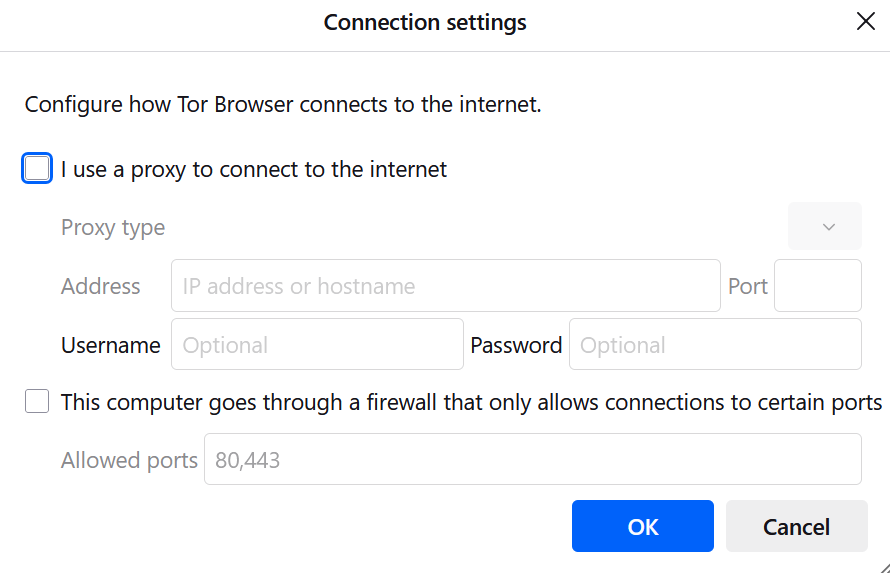
As you can see, these proxy settings are there for the initial proxy setup.
It will require you to enter the following things
- Hostname: It is the name of the proxy provider, such as proxy.proxying.io.
- Port: Every proxy provider runs its proxy on a unique port so different proxies don’t get mixed. Enter the port number provided by your proxy provider.
- Username: This is the username provided by the proxy provider.
- Password: Password provided by the proxy provider.
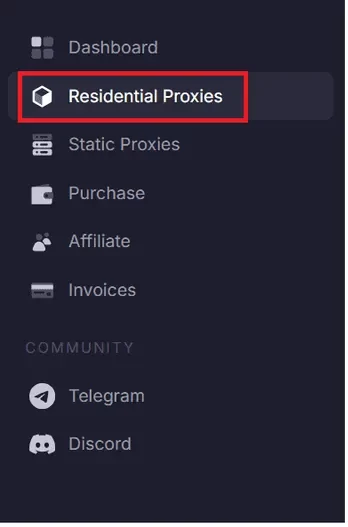
How to Find Your Username and Password
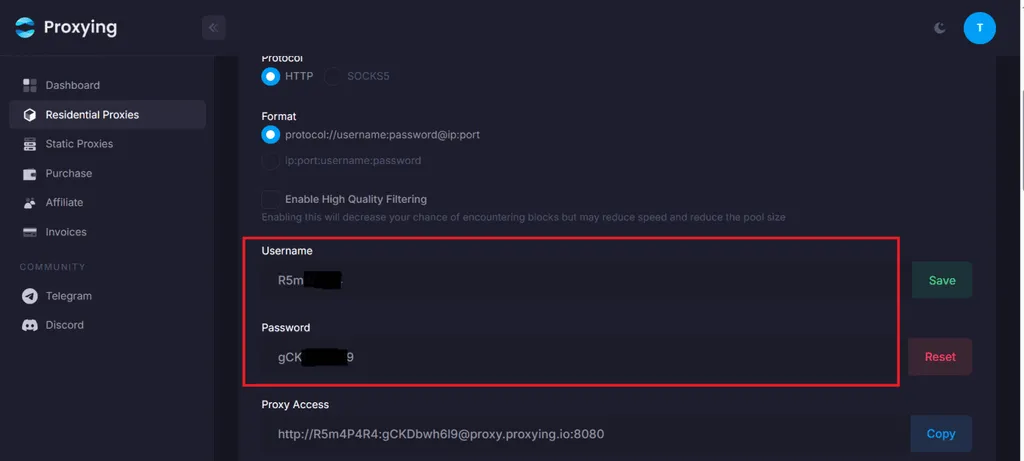
To find your proxy username and proxy password in the Proxying dashboard, click on Residential Proxies in the left panel.
Scroll down to find your username and password.
Final Result
After you enter the correct username and password, go back to the main window and click the Connect option. It will take you to the connection page
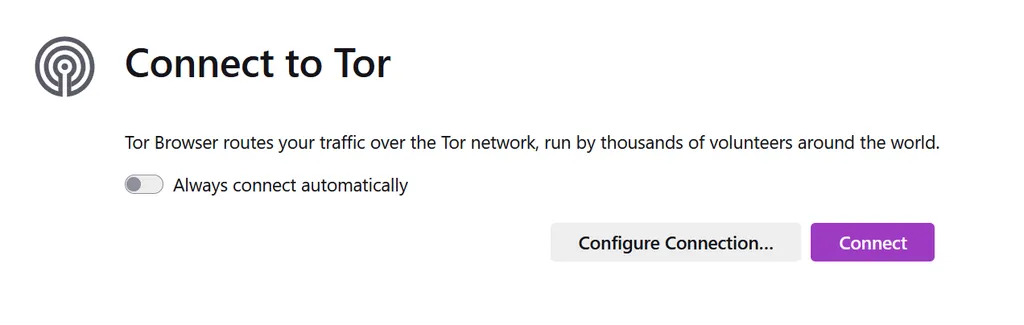
Connections to Tor
It will take some time to connect to Tor.
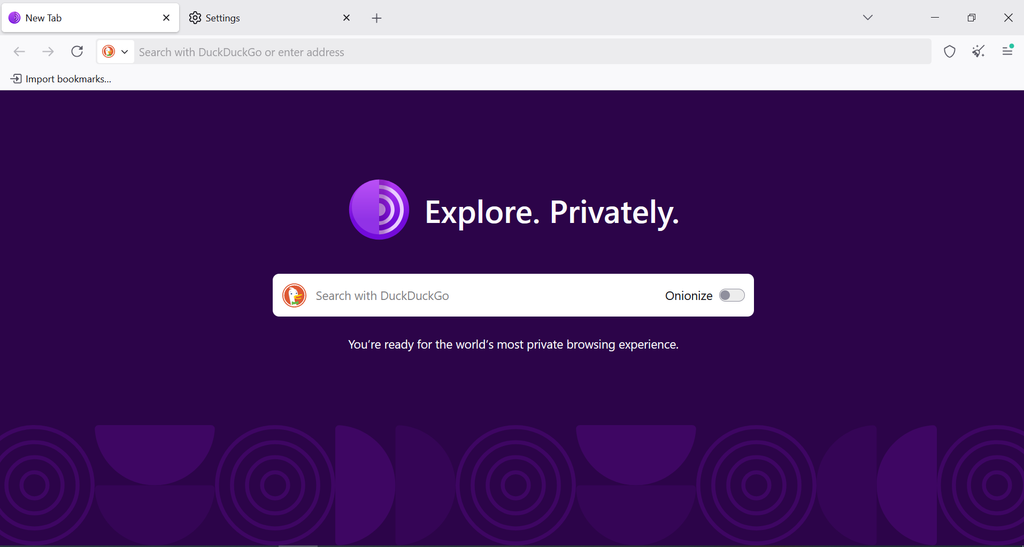
After connecting, you can browse on the Tor Browser and enjoy your private browsing experience.. It is suitable for politicians, journalists, and others in related fields.
Is Tor Browser Good for Secure Online Browsing?
The Tor Browser is widely considered safe for enhancing online privacy and anonymity, but its safety depends on several factors, including user behavior, HTTPS connections, and specific threat levels.
Tor’s multi-layered encryption process, sending your data through at least three different servers, or nodes, adds layers of anonymity that make it difficult for any node to trace the complete path back to you.
Think of Tor’s encryption process like a series of security checkpoints. Every time data passes through a new IP address, making its origin harder to trace and makes it harder for anyone to track where it comes from.
Which Proxy Should You Choose for Tor Browser
The right proxy depends on how you plan to use it. Look for these factors when you are choosing the right type of proxy:
- Proxy Type: Choose between residential, datacenter, and ISP proxies according to your needs. They have different IP characteristics and stability
- Protocol Support: Make sure the proxy supports different types of protocols that are useful in different situations, such as HTTP or SOCKS5.
- IP reputation: The proxy pool should consist of clean, reputable IPs so they are less likely to be blocked or flagged.
- Location: The proxy provider should cover an extensive range of countries, so you have the exact IP location that matches your browsing requirements.
- Speed: Tor already adds latency as discussed above, so a slow proxy makes the browser even slower.
- DNS handling: The proxy should be able to handle the DNS request appropriately so that the chances of DNS leaks are next to none.
- Connection stability: Connection stability is one of the most important factors. Frequent disconnections can interfere with Tor Browsing sessions.
| Factor | What to Look For | Why It Matters |
|---|---|---|
| Proxy Type | Residential or ISP | Affects IP reputation and stability |
| Protocol | HTTP or SOCKS5 | Determines compatibility with your setup |
| IP Reputation | Clean, reputable IPs | Reduces blocks and verification |
| Location | Relevant country or region | Helps with location-specific access |
| Stability | High uptime | Keeps Tor sessions connected |
| Speed | Low latency | Improves browsing performance |
| DNS | Proper DNS routing | Helps prevent DNS leaks |
Choose a proxy that works with your Tor setup and provides a stable connection. Proxying offers reliable residential and ISP proxies with multiple locations, making it a solid option for Tor users.


