

Data increasingly drives real estate decisions today. Platforms like Zillow provide access to millions of property listings, including pricing trends, rental estimates, neighborhood insights, and historical market data.
However, manually collecting this information is not practical when working at scale. This is where a Zillow scraper becomes essential.
A Zillow scraper is an automated tool that extracts structured real estate data such as property prices, location details, number of bedrooms and bathrooms, square footage, agent or seller details, listing images, and property status and descriptions
In this guide, we will build a fully working Zillow scraper in Python, while also handling real-world challenges like blocking, dynamic content, and IP restrictions using proxies.
Why Scrape Zillow Data?
Scraping Zillow enables multiple real estate use cases where structured property data becomes a powerful decision-making tool. Instead of manually browsing listings, businesses and analysts can automate data collection and turn raw property information into actionable insights.
Market Trend Analysis
Investors and real estate analysts use scraped Zillow data to understand how housing prices are changing over time across different cities and neighborhoods. By tracking listing prices, historical trends, and demand patterns, they can identify emerging markets, undervalued areas, and long-term investment opportunities with greater accuracy.
Lead Generation
Real estate agencies rely on Zillow data to extract property listings, owner details, and agent information for building targeted outreach campaigns. This helps them connect with potential buyers, sellers, and landlords more efficiently, reducing manual research time and improving conversion rates through data-driven lead targeting.
Rental Monitoring
Property managers and rental platforms use scraped data to monitor changes in rental prices and availability across multiple locations. This allows them to adjust their pricing strategies in real time, stay competitive in the rental market, and quickly respond to shifts in demand for specific areas or property types.
Competitive Research
Businesses operating in the real estate sector use Zillow scraping to analyze competitor listings, pricing strategies, and property positioning. By comparing similar properties and market behavior, they can refine their own offerings, optimize pricing models, and improve overall market competitiveness.
Data-Driven Applications
Scraped Zillow data is widely used to build advanced applications such as real estate dashboards, price prediction models, and AI-powered valuation tools. Developers transform raw listing data into structured datasets that support analytics platforms and intelligent systems for better decision-making.
Challenges of Scraping Zillow
Zillow is not a simple static website; it is a highly dynamic platform protected by strong anti-bot mechanisms designed to prevent automated data extraction. Scrapers commonly face issues such as 403 Forbidden responses, where access is blocked due to suspicious request patterns, and IP blocking, which occurs when too many requests are made from the same address.
In addition, Zillow often serves JavaScript-rendered content, meaning important listing data is loaded dynamically in the browser rather than being present in the raw HTML. This makes basic HTTP-based scraping unreliable.
On top of that, Zillow enforces rate limiting, triggers CAPTCHA challenges, and uses advanced request fingerprinting techniques to detect non-human traffic based on headers, behavior, and browsing patterns.
Because of these protections, simple approaches using only requests often fail. To handle these obstacles, developers typically use rotating proxies, carefully crafted browser-like headers, session management, and fallback parsing strategies to improve success rates and maintain stable data collection.
Prerequisites
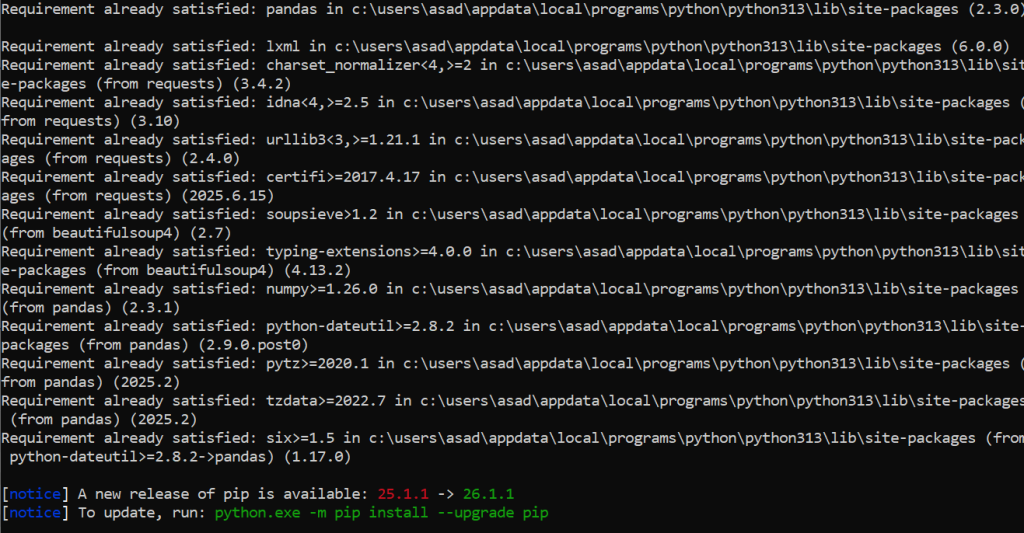
Install required Python libraries:
pip install requests beautifulsoup4 pandas lxmlWe will use:
- requests: to send HTTP requests
- BeautifulSoup: to parse HTML
- pandas: to store structured data
Step 1: Sending a Basic Request
Let’s start by making a simple request to a Zillow search page.
import requests
url = "https://www.zillow.com/homes/for_sale/"
headers = {
    "User-Agent": "Mozilla/5.0 (Windows NT 10.0; Win64; x64)"
}
response = requests.get(url, headers=headers)
print(response.status_code)
print(response.text[:500])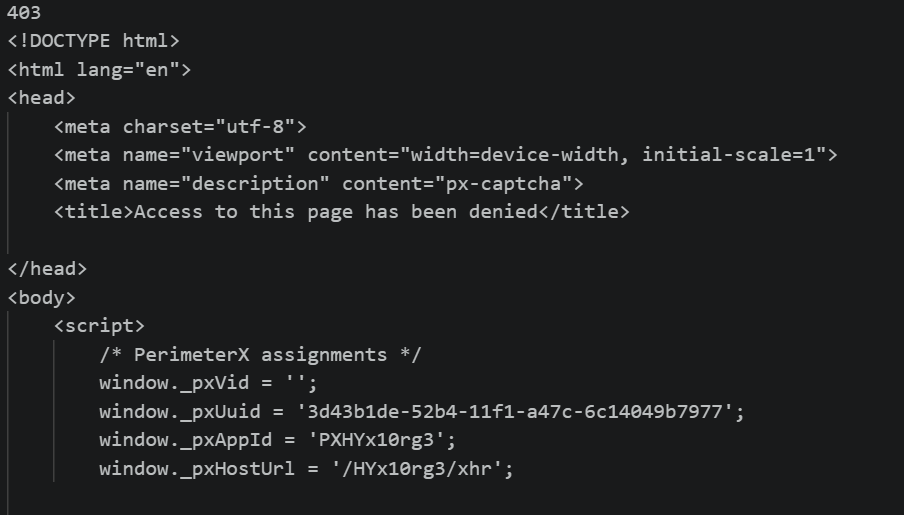
Expected Problem
In most cases, you will get:
- 403 Forbidden OR
- Empty or blocked HTML
This happens because Zillow detects automated traffic.
Step 2: Adding Proxies to Avoid Blocking
To bypass restrictions, we use proxies.
Example Proxy Setup
proxies = {
    "http": "http://USERNAME:PASSWORD@proxy-server:port",
    "https": "http://USERNAME:PASSWORD@proxy-server:port"
}
response = requests.get(url, headers=headers, proxies=proxies)
print(response.status_code)Why Proxies Matter
Using proxies helps:
- Rotate IP addresses
- Avoid rate limits
- Reduce the chance of bans
- Simulate real user traffic
For production scraping, residential rotating proxies are highly recommended.
Step 3: Extracting Listing Data
Zillow pages often embed structured data inside HTML or JSON blobs.
Let’s parse listing cards using BeautifulSoup.
from bs4 import BeautifulSoup
html = response.text
soup = BeautifulSoup(html, "lxml")
listings = soup.find_all("div", {"data-test": "property-card"})
print(f"Found {len(listings)} listings")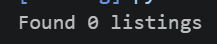
Step 4: Parsing Property Details
data = []
for listing in listings:
    try:
        title = listing.find("a", {"data-test": "property-card-link"}).text
        price = listing.find("span", {"data-test": "property-card-price"}).text
        address = listing.find("address").text
        data.append({
            "title": title,
            "price": price,
            "address": address
        })
    except AttributeError:
        continue
print(data[:3])Now extract useful information from each listing.
Step 5: Saving Data to CSV
Once extracted, we store data in a structured format.
import pandas as pd
df = pd.DataFrame(data)
df.to_csv("zillow_listings.csv", index=False)
print("Data saved successfully!")Step 6: Handling JavaScript-Rendered Content
In many cases, Zillow loads data dynamically using JavaScript. That means HTML scraping alone is not enough.
We can solve this using browser automation.
Selenium Example
from selenium import webdriver
from selenium.webdriver.chrome.service import Service
from selenium.webdriver.common.by import By
import time
options = webdriver.ChromeOptions()
options.add_argument("--headless")
driver = webdriver.Chrome(options=options)
driver.get("https://www.zillow.com/homes/for_sale/")
time.sleep(5)
cards = driver.find_elements(By.CSS_SELECTOR, "article")
print(f"Found {len(cards)} property cards")
driver.quit()Step 7: Scaling with Pagination
Zillow listings are paginated. To scrape multiple pages:
base_url = "https://www.zillow.com/homes/for_sale/{page}_p/"
all_data = []
for page in range(1, 5):
    url = base_url.format(page=page)
    response = requests.get(url, headers=headers, proxies=proxies)
    soup = BeautifulSoup(response.text, "lxml")
    listings = soup.find_all("div", {"data-test": "property-card"})
    for listing in listings:
        try:
            price = listing.find("span", {"data-test": "property-card-price"}).text
            address = listing.find("address").text
            all_data.append({
                "price": price,
                "address": address
            })
        except:
continueBest Practices for Zillow Scraping
Rotate Proxies
Using rotating proxies helps distribute requests across multiple IP addresses instead of relying on a single one. This reduces the chances of IP bans and rate limiting while improving scraping reliability. Residential rotating proxies are especially useful for large-scale Zillow scraping.
Use Random Delays
Sending requests too quickly can trigger Zillow’s anti-bot systems and lead to blocking. Adding random delays between requests helps simulate natural user behavior and reduces detection risk.
import time
import random
time.sleep(random.uniform(2, 5))Use Realistic Headers
Proper request headers make your scraper appear more like a real browser session. Headers such as User-Agent, Accept-Language, and Referer help reduce suspicion and improve request success rates.
Avoid Overloading
Making too many requests within a short period can overwhelm the server and trigger rate limits. Keeping request frequency controlled ensures more stable scraping and lowers the chance of temporary bans.
Monitor Response Codes
Tracking response codes helps identify when the scraper is being blocked or rate-limited. Monitoring errors like 403 Forbidden and 429 Too Many Requests allows developers to adjust delays, proxies, or retry logic accordingly.
Legal and Ethical Considerations
Before scraping Zillow or any real estate platform:
- Always review the website’s Terms of Service
- Avoid collecting personal sensitive data
- Use data responsibly for analytics, not misuse
- Respect rate limits and server load
Ethical scraping ensures long-term access and sustainability.
Conclusion
Building a Zillow scraper in Python provides powerful capabilities for real estate analytics, market research, and business intelligence.
However, modern websites like Zillow require more than simple HTTP requests. You need proxies for IP rotation, browser automation for dynamic content, proper request handling, and a scalable architecture for large datasets.


