


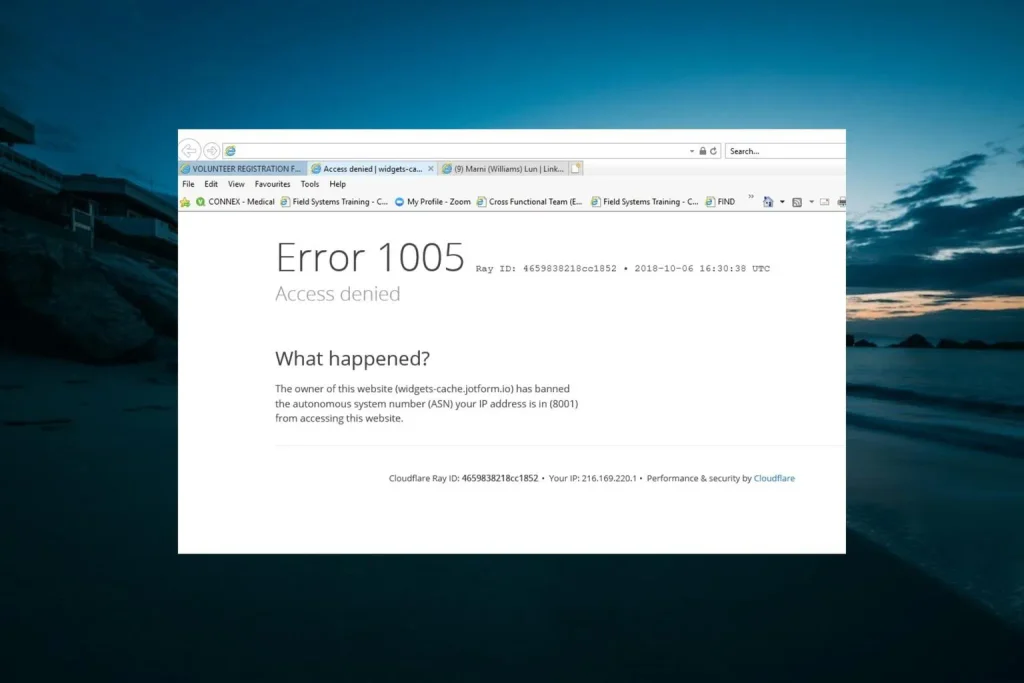
When you encounter Cloudflare Error 1005 while browsing a website, it simply means that the website has blocked the network you are using, likely due to your IP address. Error 1005 is typically caused by an access rule set by the site owner in Cloudflare, rather than by an error in the browser or server.
Cloudflare actually categorizes Error 1005: Access Denied as an Autonomous System Number (ASN) ban. An ASN is a network (e.g., Internet Service Provider, Internet hosting provider, Internet VPN provider, Internet proxy provider, any other network). When the ASN is blocked by the website owner, then requests from that ASN can get the 1005 error.
Cloudflare Error 1005: What is it and Why Does it Occur?
Cloudflare Error 1005 is an access denied error, caused by the Autonomous System Number (ASN) of the network from which the visitor connects to the website being blocked by the website owner.
An ASN is a sort of identifier for a network or a set of IP addresses. Your public IP address is assigned to a network that is operated by an ISP, a cloud provider, a mobile company, a VPN or a proxy provider, or another entity. Cloudflare can leverage this network information for access rules application.
When your request arrives at a Cloudflare-protected website, Cloudflare filters the request and lets it pass to the origin server of the website. When Cloudflare receives a request for a page responding to an ASN that has been blocked in the user’s connection, it may return Error 1005 Access Denied instead of that page.
That is why Error 1005 on a computer doesn’t always indicate that there is something wrong with your computer. The website might be functioning properly. The block is connected to the network you are using to reach the website.
It’s also worth noting that this is not the same as some of the other Cloudflare access errors. Cloudflare reports Errors 1006, 1007, 1008, and 1106 as IP-address bans, for instance, and Error 1009 as a country/region block.
4 Common Causes of Cloudflare Error 1005
1. The website blocked your network’s ASN
The most obvious reason is an ASN block set up by the website owner.
A hosting company, for instance, might choose to refuse access to traffic coming from a certain hosting provider, network, or ASN, simply because the hosting company does not wish to accept requests from the network. Individuals who use an IP address from that ASN may then see error code 1005.
It doesn’t necessarily mean that your IP address was targeted in particular. The rule may be extended to the entire network.
2. You are using a VPN or proxy network
VPNs and proxies can route all requests to a different network than the one you’re used to using.
The following scenario is possible: Even if you can access the website via another network connection, you might see the Cloudflare 1005 error when using that VPN or proxy provider’s ASN.
This is especially important when changing from one network to another and the page changes. A proxy can assign you a different IP address, but if you are assigned an IP address that is still in the same blocked ASN, you can get an error.
3. The website has blocked a hosting or cloud network
Some websites block traffic from data-center or cloud networks. A network may include a large number of IP addresses for servers, automation systems, monitoring systems, and other applications.
Cloudflare will refuse the request before it reaches the origin server if the request is coming from a blocked ASN.
4. A broad security rule is affecting legitimate visitors
An ASN-level rule may include many IP addresses. This means that a security configuration set up to prevent unwanted traffic may have unexpected consequences for legitimate users who are on the same network.
Cloudflare’s documentation puts the responsibility for an Error 1005 block with the website owner: visitors should provide the site owner with a screenshot of the error, while site owners should investigate the relevant security event and ASN rule.
What Happens When You Get Cloudflare Error 1005?
As you type in a Web address, your query travels through multiple layers of the network before the site’s data is returned. Cloudflare protects the website by placing itself in the middle of the visitor and the website’s origin. If the request matches the ASN block, Cloudflare will block the request at its edge.
The basic process is as follows:
The Internet works by connecting computers through a series of networks. The Internet is a chain of computers connected by networks.
With an ASN block:
Your browser + Your network + Cloudflare + Error 1005
The problem may then not be on the part of the origin of the website. Currently, Error 1005 is listed in Cloudflare’s documentation as a 1xxx error and, more specifically, as an “ASN-banned access-denied error”
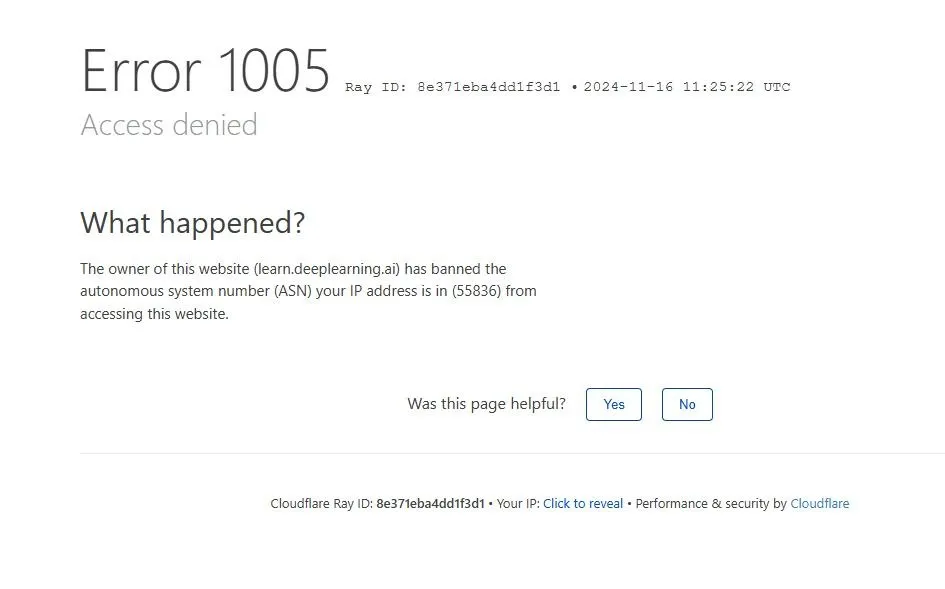
The error page could also include some valuable diagnostic details, such as a Cloudflare Ray ID. Send this information to the owner of the website along with the time when the request failed. Cloudflare recommends that the website owner use the Ray ID or client IP address in “Security Events” to perform a deeper investigation into the request.
What’s the Difference Between Error 1005 and Error 403?
Error 1005 and HTTP 403 are both errors that are related to access being denied, but they are not the same error. The Cloudflare 1xxx error code 1005 is a specific Cloudflare error meaning that the ASN of the visitor’s network has been banned.
A 403 Forbidden HTTP response is a standard response code. According to Cloudflare, a 403 can be issued by the origin server itself or by the Cloudflare security features (WAF rules, security settings, DDoS protection, Browser Integrity Check, other validation checks)
| Error | What it generally means | Main point |
|---|---|---|
| 1005 | ASN has been banned | The network associated with the request is blocked |
| 403 | Access is forbidden | Can originate from the website or Cloudflare security controls |
| 1006/1007/1008/1106 | IP address has been banned | The individual client IP is blocked |
| 1009 | Country or region is banned | Access is restricted based on geographic location |
| 1015 | Rate limited | Too many requests triggered a rate-limit rule |
| 1020 | Access denied by a Cloudflare rule | A Cloudflare security/firewall rule blocked the request |
If you’re seeing a specific error message, such as “Error 1005”, modifying your browser permissions or resolving a generic HTTP 403 error might not solve the problem.
How to Fix Cloudflare Error 1005? [5 Simple Methods]
Being an ASN-level block, there is no such thing as a browser setting to simply eliminate the rule enforced by the website owner. The most helpful way depends on whether you’re a visitor or the website proprietor.
1. Turn Off Your VPN or Proxy
If you are using a VPN, proxy, privacy relay, or other networking tool that routes your network, turn it off for a while.
Then:
- Shut down the blocked page.
- Turn off the VPN or proxy.
- Reopen your browser.
- Go back to the same URL once again.
Your normal connection may route the request onto an allowed network if the VPN or proxy’s ASN is blocked. This is not always certain, however. Blocking the ASN at your normal ISP will not automatically fix all access denied Cloudflare error 1005 problems, either.
Read our Proxy Error Guide: Common Errors & How to Solve Them.
2. Try a Different Internet Connection
Use a different valid connection to the website, such as:
- A different home network
- Mobile data
- Another trusted Wi-Fi network is available.
- Another business/office affiliation (as allowed)
The purpose isn’t just to get another IP address. The ASN of a network is the important factor for Error 1005.
If, for instance, a website blocks the ASN of that network, then a change from one IP address to another IP address in the same ASN won’t matter If the site loads successfully on one network and shows Error 1005 on a second network, then that’s helpful evidence that the problem is network-specific.
3. Restart Your Router and Check Again
For residential Internet connections that have dynamic public IP addresses, rebooting the Internet router might sometimes change the public IP address.
This will help with some IP blocks, but of interest, there is an important limitation: Error 1005 is an ASN-specific type of ban.
Hence, a dynamic change of the public IP within the same ASN might not be enough to solve the issue. Imagine this: If Error 1005 continues, then proceed with the following steps:
If there is a different IP + different ASN, then the website can become accessible. The website can become accessible if there is a difference in IP + there is a difference in allowed ASN.
Don’t keep clicking the start button over and over in the hopes of a quick solution. If the ASN is blocked, the owner of the website must modify the access rule.
4. Contact the Website Owner
If the error code remains 1005, the best thing to do is to contact the website owner. As an extra step, Cloudflare recommends that the website owner ask visitors to send a screenshot of the Error 1005 message.
Include:
- Screenshot of the complete error
- Cloudflare Ray ID
- URL you were trying to access
- Time and Date of the error.
- The kind of network you are connected to (if applicable)
- If you used a VPN or proxy (if applicable)If you used a VPN or proxy (if applicable)
This provides the website administrator with sufficient data to follow up on the request. If you are the website owner, check for the ASN in the IP Access Rules and/or search for Security Events with the Ray ID or the client IP address.
5. If You Own the Website, Review the Cloudflare Rule
Webmasters have another answer. To start, check in Cloudflare security logs for the affected request. Cloudflare suggests choosing one of two options: the 1005 error’s client IP address or Ray ID, or checking the Security Events information.
Then find out why the ASN was blocked.
If the rule is too general, the website owner can fine-tune the access rules for that rule to ensure that it does not inadvertently prevent legitimate traffic from reaching the site.
Our guide to HTTP 505 Error Code: What It Means and How to Fix It can also help you differentiate between different types of errors at the HTTP level, as they could all be the cause of the error.
How Can You Avoid Error 1005 in the Future?
No one can prevent Error 1005, since it is governed by the owner of the website. But if you pay attention to your network configuration, you can minimize troubleshooting time.
First, determine if you’re using the site via your standard Internet Service Provider (ISP) or via a virtual private network (VPN), a proxy server, a company network, or an intermediary. The identity of the network is a significant clue if a specific network keeps coming up with error 1005, whereas other connections succeed.
Second, don’t assume that all access denied messages are identical. Cloudflare has several errors for ASN bans, IP bans, country restrictions, rate limiting, and other security features.
Thirdly, save the Ray ID when an error occurs. This provides a helpful guideline to the site owner for further investigation of the request.
Lastly, use the right network infrastructure and abide by the access rules of the target website if you use automated tools or access several websites on a regular basis. An ASN-level block can only be resolved with a new IP address.
If you need to understand another type of access restriction, see our guide on How to Bypass an IP Ban [5 Simple Methods]
Still Getting Cloudflare Error 1005? Try Proxying
A proxy could offer an alternate path and address for your network when you are getting the Cloudflare Error 1005. There’s one caveat, though: not all proxies will resolve an ASN block.
When the proxy’s IP address is in the same blocked ASN or network category, Cloudflare is still able to return Error 1005. That is, changing an IP address with the restriction being applied due to the network’s ASN is not sufficient.
If the proxy is for legitimate use, the question is whether the proxy offers you an appropriate network identity for the website you are trying to access.
If you want the traffic to come from other networks and locations, residential and ISP proxies may be helpful. The actual outcome is dependent on the target website’s Cloudflare configuration and whether the blocked proxy network is configured to block the proxy network or not.
For users who need a different network route, What Is An Anonymous Proxy explains how anonymous proxies work and what information they can hide.


