


Scaling online has never been more accessible. Launching multiple ad accounts, stores, social profiles, and automation workflows now takes just minutes to set up.
People have been misusing (read: abusing) multilogins for years. This is why platforms now use advanced browser fingerprinting to detect linked accounts. Gone are the days when you could set up a simple IP rotation in incognito mode to bypass tracking. One small mismatch in device data, time zone, fonts, or WebGL fingerprint can connect everything. And then, the banwave gets all your linked accounts.
This is a problem most marketers, or really anyone running multiple ad accounts, social profiles, and more, discover only after losing months of work. Trust me, I’ve experienced it firsthand.
If your goal is to grow without constant suspensions, I’ve got you covered. I did some digging and found the best anti-detect browsers that help protect you against the next ban wave.
What is an Anti-detect Browser?
Before diving into the comparison, let’s define what an anti-detect browser is.
An anti-detect browser modifies key browser parameters to reduce the chance of accounts being linked together or flagged. It doesn’t make you invincible. Instead, it gives you control over how your device appears to the tracking system.
If you want deeper insights, please read: What is an anti-detect browser.
Testing Software
I have used PixelScan and Iphey to test each anti-detect browser. These online tools simulate anti-fraud system checks and help you analyze your digital browser fingerprints.
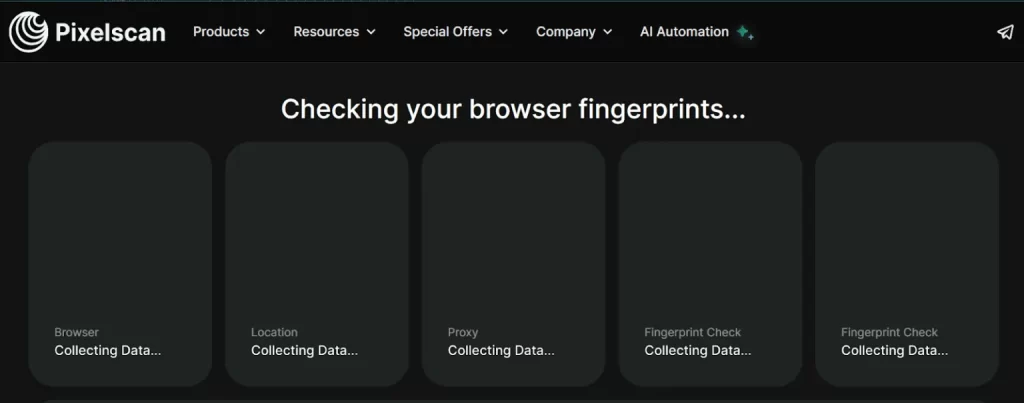
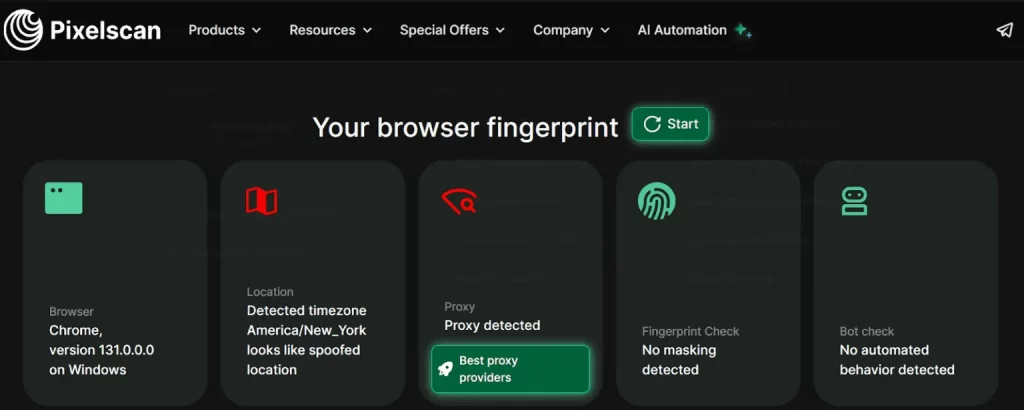
For example, the PixelScan checks each parameter, from browser version to the presence of WebRTC leaks, and provides an overall report.
If all five key characteristics are internally consistent, the profile is considered consistent. Otherwise, the fingerprint is marked as suspicious.
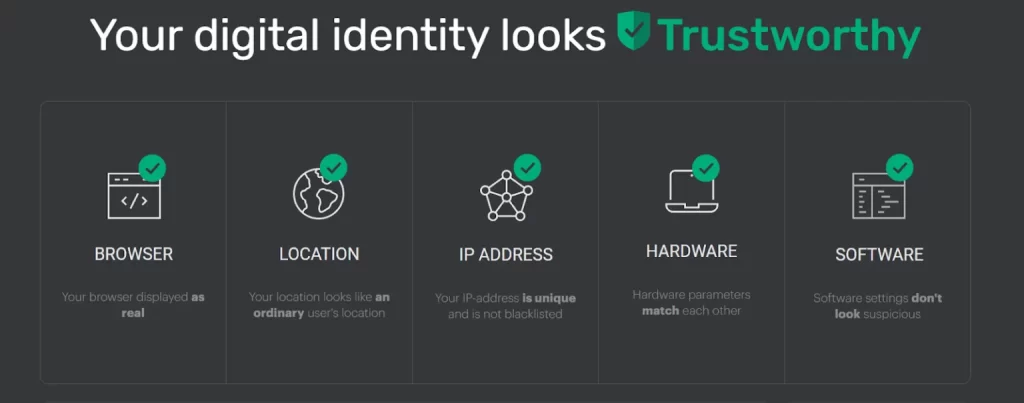
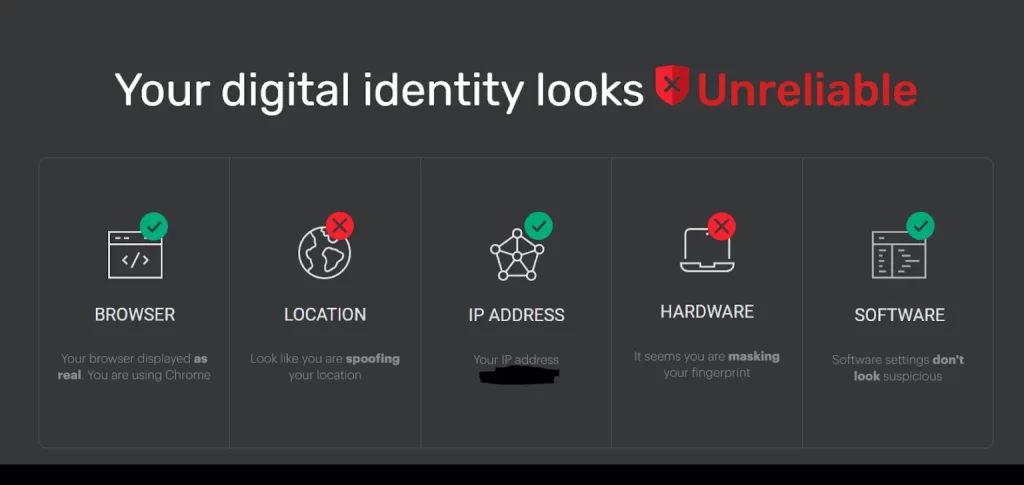
Iphey.com works similarly; the service evaluates a profile’s reliability using reference databases. If masking is successful, Iphey gives the status Digital identity looks reliable.
Most people think spoofing an IP is enough. It is not. Modern anti-fraud systems operate in layers correlating IP data, fingerprint parameters, and behavioral signals. They cross-reference dozens of device and network attributes.
How to Check Anti-detect Browsers Effectiveness
An anti-detect is only as strong as its fingerprint spoofing. It needs to generate a consistent fingerprint, different from your real device, and most importantly, not unique. A highly unique fingerprint doesn’t make you anonymous; It makes you stand out.
Since fingerprints pull data from dozens of overlapping signals, even small mismatches can expose you. A quick Canva test can reveal significant inconsistencies. If it shows your fingerprint is unique, that’s a warning sign.
So instead of spending weeks testing different tools yourself, I have already done testing for you, so you don’t have to go through all the trouble.
Our Methodology to Rank the Top 5 Anti-detect Browsers
Our ranking of the top 5 anti-detect browsers is grounded in an assessment of these crucial factors.
Running multiple advertising accounts requires different features than general multi-account management. If your focus is Meta advertising, our guide to the best anti-detect browsers for Facebook Ads compares the top options specifically for media buyers, agencies, and advertisers.
5 Best Anti-detect Browsers
I scored many browsers by testing them on PixelScan and Iphey, checking for leaks, fingerprint consistency, and hidden red flags. Based on those results, these are the ones that actually hold up, and in my opinion, the best options in play right now.
1. 1Browser
If your anti-detect browser can’t survive a real fingerprint check, it’s only a matter of time before accounts start dropping. I tested 1Browser against PixelScan and Iphey, and here’s how it held up.
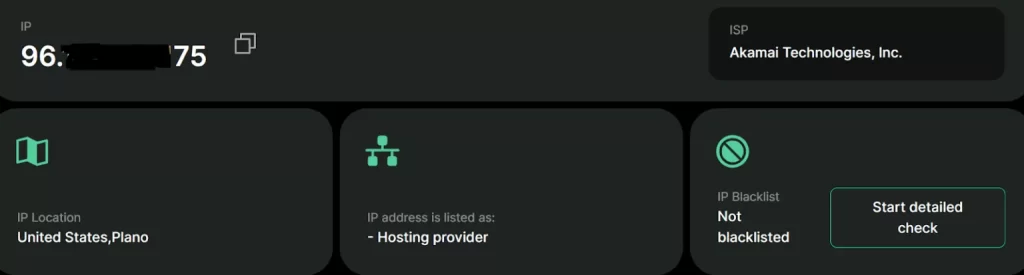
The profiles stayed clean. No obvious Canvas mismatches. No WebGL conflicts. No surprise IP leaks hiding in WebRTC or DNS. Time zone and language aligned properly with the proxy, which is exactly what you want when it comes to performance.
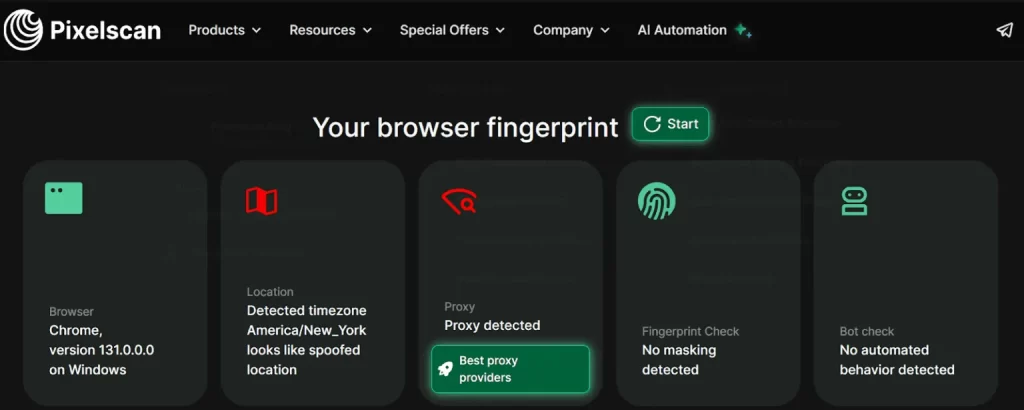
Performance-wise, profiles launched fast and stayed stable. No random fingerprint shifts after restart. No strange behavior when running multiple sessions. And that matters more than people realize. Because the moment your fingerprint changes mid-operation, the system starts getting banned.
Interface
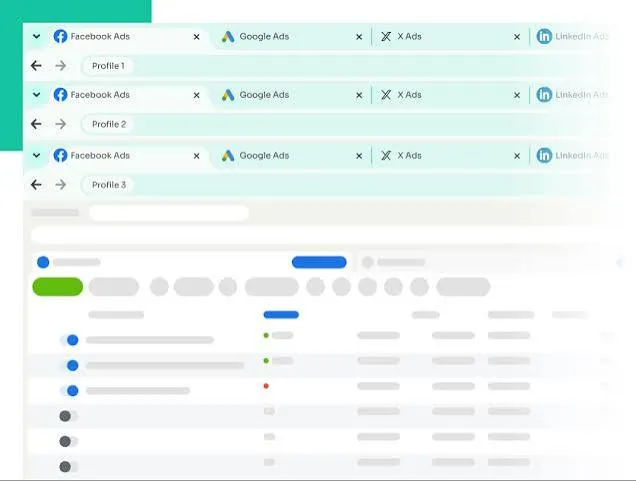
It has an easy-to-use interface with built-in tools for better optimization
Proxy Management
Proxy setup was straightforward. HTTP(S), SOCKS5, and bulk import all went smoothly. But like any other tool, your safety still depends on the quality of proxies you use. The browser can protect you, but it can’t fix bad IPs.
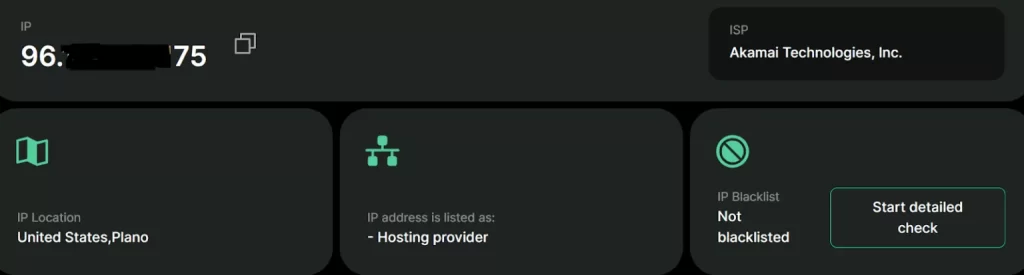
Is it perfect? No tool is. However, in testing, 1Browser maintained a consistent fingerprint even under repeated testing, whereas weaker tools often fail.
Pricing
1Browser keeps pricing simple, and honestly, accessible. It offers three plans.
| Price | No. of Profiles | Proxy Countries |
| Free | 10 | 10 with basic speed |
| $9/month | 20 | 100+ countries |
| $29/month | 100 | 100+ countries |
2. Incogniton
Out of the box, Incogniton doesn’t provide perfect masking. When we created multiple profiles using default settings, they failed both the PixelScan and the Iphey hardware checks.
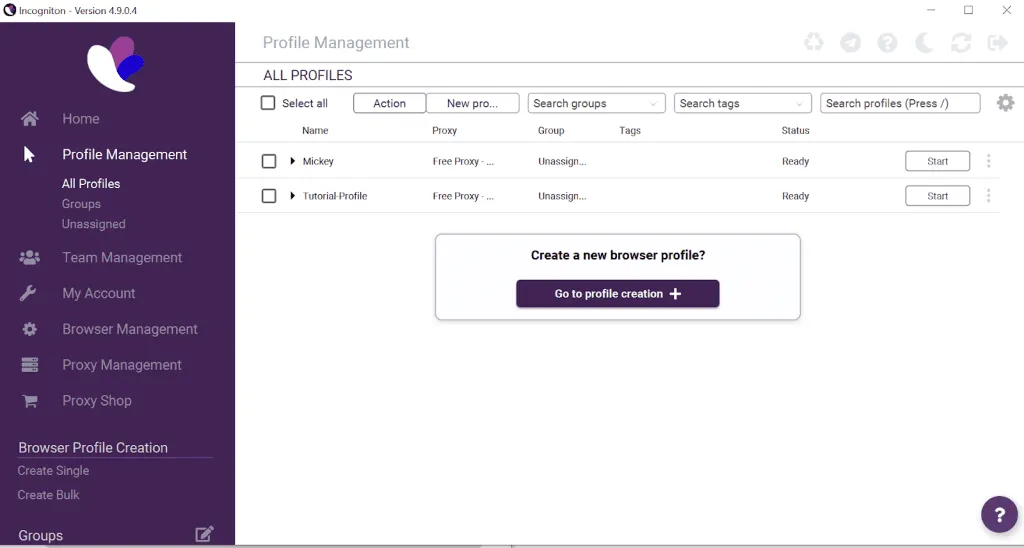
Iphey flagged a fingerprint uniqueness issue. PixelScan highlighted hardware inconsistencies. Key parameters showed up in red.
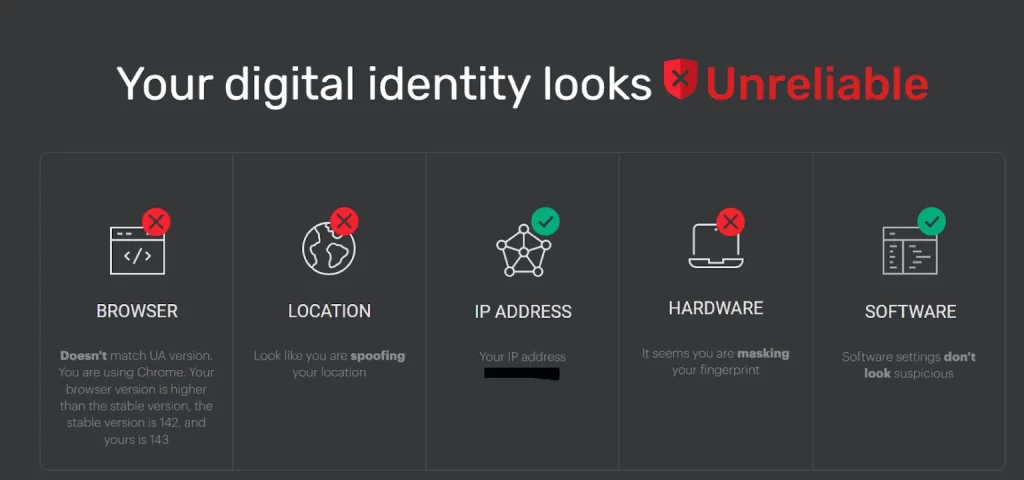
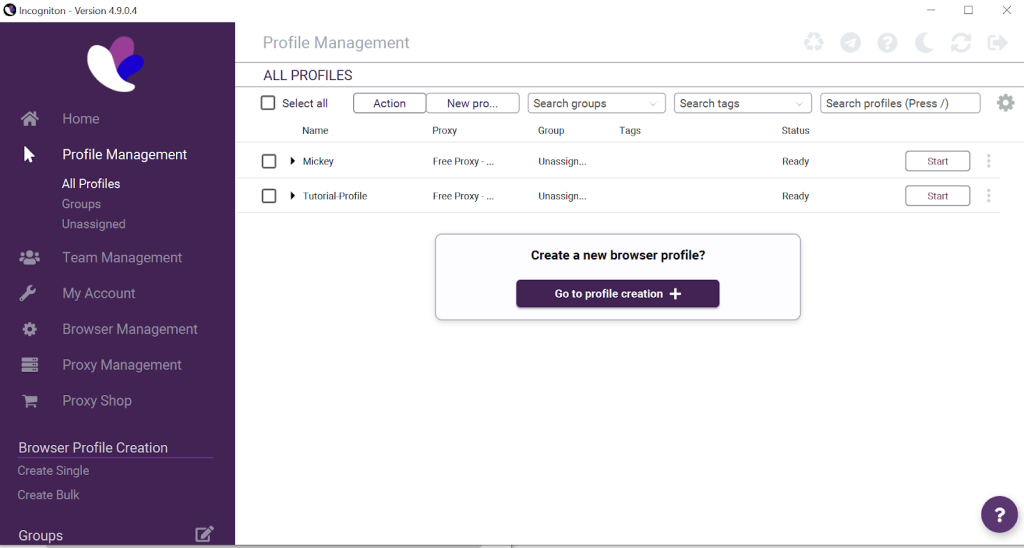
The likely reason? Some fields aren’t fully configured by default. Incognito expects the user to fine-tune certain parameters manually. This means one thing: if you leave everything on default, your risk increases
Proxy Support
Incogniton supports all major proxy types: HTTP, HTTPS, SOCKS5, residential, mobile, and datacenter. But proxy management is one of its weakest points.
Adding proxies requires manual setup. There’s no smooth bulk import experience. You either add them one by one or through file import, and setip isn’t intuitive. There is a built-in proxy store inside the app, but pricing isnt the most competitive. No free proxies are included.
If you are using Incogniton seriously, you will need high-quality external proxies.
Updates & Support
Updates are less frequent compared to leading competitors. The last major log update dates back to 2024, which raises concerns in a fast-moving anti-fraud environment.
Support is available via email and Telegram. Response times are quick, but there is no live chat. This feels more like a simple task for a specific audience rather than a community-based ecosystem.
Pricing
Finally, something where Incogniton shines.
| Price | No. of Profiles |
| Free plan | 10 profiles for 2 months ( then reduced to 3) |
| $14/month | 10 profiles (No API support) |
| $21/month | 50 profiles + API support |
| $104.99/month | 500 profiles |
| $139.99/month | 1000 profiles |
Compared to premium competitors, this is significantly cheaper. You are paying less, but you are also doing more manual work.
Verdict
Incogniton is best suited for technical users who understand fingerprints and don’t mind manual configuration. If you are budget-conscious and willing to tweak settings carefully, it can provide solid anonymity. In skilled hands, it works.
However, if you prefer automatic protection, beginner-friendly workflows, and minimal risk, you may find it annoying. It’s affordable and powerful, but it requires technical expertise.
3. NstBrowser
NSTBrowser (NST) isn’t for beginners and casual users. It is built for developers, scrapers, and automation-heavy workflows.
This isn’t just an anti-detect browser. It’s a full automation platform with a built-in RPA framework. You get headless mode ( run profiles in the background without a GUI) and even a marketplace of ready-made automation scripts. If you think in workflows and scripts instead of clicks and tabs, NST will immediately make sense.
Fingerprint Protection
For a tool this advanced, the fingerprint performance is surprisingly average. In testing, NST profiles passed PixelScan but frequently showed spoofing on location.
But Iphey showed issues with default fingerprints. Hardware-level warnings appeared unless parameters were fine-tuned manually.
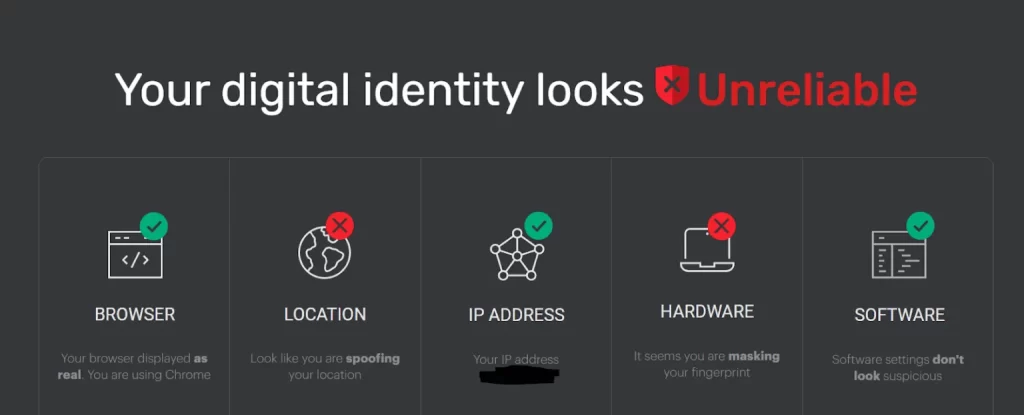
That means beginners looking for a “set it and forget it” solution may run into problems. Used correctly, it’s solid. Used on defaults, it can raise flags.
Automation (Main Strength)
This is where NST separates itself. Inside the browser, there’s a visual workflow editor. You can drag and drop blocks like visit website, switch proxies, and many more, without any knowledge of coding. NST doesn’t just help you manage your accounts; it helps you automate them.
Interface
The interface is powerful, but overloaded.
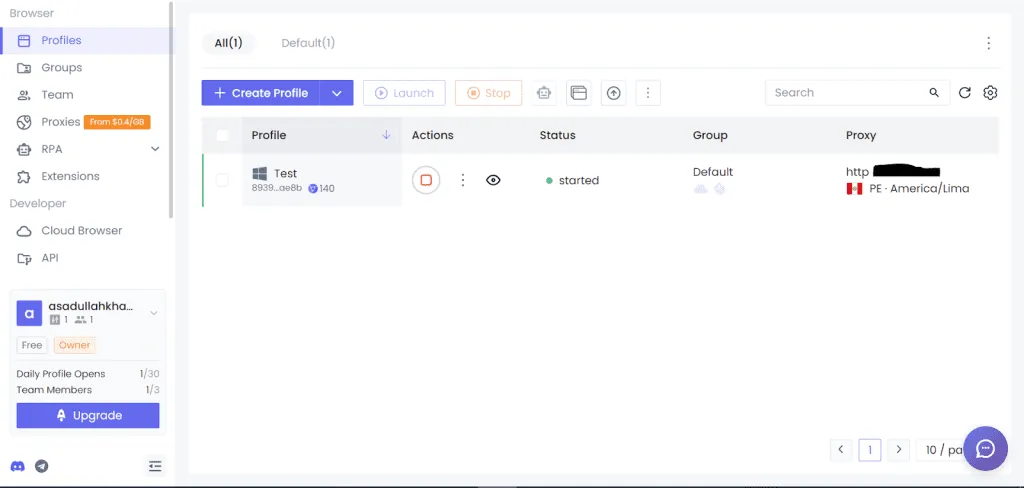
You are offered many options, like groups, folders, templates, and dozens of adjustable fingerprint parameters. For technical users, this level of control is like a mine of gold. But it’s overwhelming for beginners.
Support & Update
Support is limited to weekday hours. Responses aren’t instant. Community presence is minimal. Updates don’t appear as frequently as some competitors’, which is something to consider in a fast-moving anti-fraud environment. NST feels more enterprise-focused.
Pricing
Here’s where the model gets interesting.
| Free version | 10 launches per day |
| $299/month | 100,000 profiles |
| $599/month | 500,000 profiles |
Verdict
NstBrowser is not for daily users. It is designed for developers, automation engineers, and businesses running large operations. If you need both anti-detection and automation in one system and you have the skills and volume to justify it, NST is powerful.
4. Octo Browser
If you are running serious operations, you will need a powerful anti-detect browser, and that’s exactly where Octo Browser comes into play. There’s no “free forever” here. You are paying for your own protection, or you are not using it.
Fingerprint Protection
Octo goes deeper than surface-level spoofing. It modifies dozens of fingerprint parameters, such as Canvas, WebGL, hardware signals, and User-Agent consistency, in a way that makes them appear natural to websites.
In testing, profiles held up well against strict fingerprint checkers. No obvious mismatches. No weird hardware conflicts. No sudden red flags. It doesn’t change values; it generates fingerprint parameters that align with realistic hardware and operating system configurations.
Interface
Octo Browser keeps a balance between power and usability. It’s not as overwhelming as hardcore technical tools, but it’s also not kind of easy. You get profile grouping, tagging, proxy management, API access, and team collaboration features.
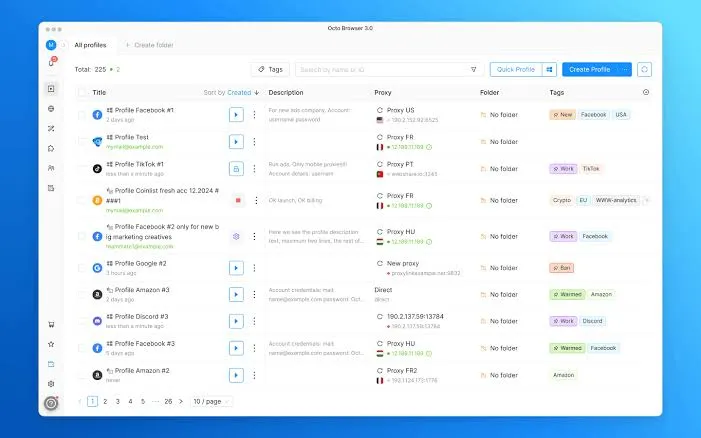
You can keep it simple, or go deep if you know what you’re doing. That flexibility matters when you start using more than 10-20 profiles.
Proxy Handling
Proxy integration is smooth. HTTP(S), SOCKS5, and SSH; all are supported without unnecessary friction. But like any anti-detect tool, your safety still depends on the usage of trusted proxies like Proxying.
Pricing
Well, Octo doesn’t play free games. Either you pay to mask your fingerprint or risk your privacy.
Here’s how their pricing structure looks:
| Name | Price | Profiles |
| Lite | €10/month | 3 |
| Starter | €29/month | 10 |
| Base | €79/month | 100 + API access |
| Team | €169/month | 350 + 3 team members + API |
| Advanced | €329/month | 1200 profiles + 8+ team members + API access |
Verdict
Octo Browser is suitable for marketers, agencies, and operators who need stable fingerprint protection without constant manual setup.
5. Ghost Browser
Ghost browser is frequently known to be a productivity browser built for multi-session workflows. But when it comes to fingerprint protection or scraping stealth, it simply isn’t designed for that.
Fingerprint Protection
Let’s be clear: There is no fingerprint spoofing here. Ghost browser doesn’t modify any Canvas, WebGL, or Hardware signals. Sessions are only separated at the cookie level. Your browser fingerprint remains the same across tabs.
It is best for productivity, but when it comes to fingerprint spoofing, it simply lacks in this area.
Interface
You can open multiple sessions inside one window, each marked with a different color.
This allows you to log into multiple accounts on the same site simultaneously without constantly switching browsers. For agencies managing client logins manually, it’s convenient.
Pricing
Ghost Browser is paid software with a limited 14-day trial.
| Plan | Price | Profiles |
| Free | Free | 3 Profiles |
| Basic | From $21/month | Unlimited profile, but no proxy control |
| Pro | From $46/month | Proxy per tab, identity & workspace |
Verdict
Ghost Browser is an organized multi-login management, clean session separation, and multi-login. It works well for a low-level client. If you need high-level fingerprint masking or privacy protection, you need a different category of tool entirely.
Our Rankings
- 1Browser held up clean under testing. No obvious mismatches, no surprise leaks, no fingerprint shifts mid-season. If you want stability without constant tweaking, the one is to go.
- Incogniton is budget-friendly, but it is not automatically safe. It can work well, but only if you manually configure the fingerprint properly.
- NstBrowser is built for automation-heavy workflows. Powerful, flexible, but not beginner-friendly. In skilled hands, it performs extraordinarily well.
- Octo Browser has strong masking abilities with believable fingerprint recreations. If you are scaling and do not want to face constant inconsistencies, then Octo is your go-to choice.
- Ghost Browser is good for managing multiple logins in one window, but it doesn’t spoof fingerprints. If you are thinking stealth, this isn’t the right category of tool.
Looking for browsers that support Android? Check out our guide to the best anti-detect browsers for Android, where we compare native Android apps, cloud Android devices, and desktop browsers that simulate Android fingerprints.


