


Quick Read
Anti-detect browsers create isolated browser profiles with controlled fingerprints to reduce tracking and prevent different sessions from being easily linked. They can modify signals such as user agents, screen resolution, Canvas, WebGL, and other browser parameters. When combined with proxies, they can provide greater control over IP addresses and browsing environments. This guide explains how anti-detect browsers work, their common applications, how to test them, and what to consider when choosing one.
An anti-detect browser is a specialized web browser designed to control and modify your digital fingerprint. Instead of exposing your real device and system data, it generates a separate, isolated fingerprint for each browser profile. On websites, every profile appears as a completely different user operating from a different device.
What is an Anti-detect Browser
An anti-detect browser modifies key browser parameters to reduce the chances of accounts being linked or flagged. It does not make you invisible. Instead, it gives you control over how your device appears to tracking systems.
These browsers change elements such as user agent, screen resolution, hardware identifiers, and other fingerprint signals. The goal is to ensure that each profile looks consistent and independent from the others.
What is Browser Fingerprinting?
Browser fingerprinting is a tracking method that identifies users by analyzing technical details exposed by their browsers and devices. These details include screen resolution, operating system, installed fonts, timezone, GPU data, and more.
Unlike cookies, fingerprinting does not rely on stored files. It works silently in the background and can function even in incognito mode. By combining multiple small signals, websites create a highly unique digital profile that can persist across sessions.
User Agent
Every time you click a link, your browser sends a short string of text called a User-Agent to the website’s server. This text string contains technical details about your browser and device, such as browser name, version, OS, and screen resolution.
WebGL Parameters
WebGL (Web Graphics Library) is a browser technology that allows websites to show 3D graphics in your browser using your computer’s graphics card. In browser fingerprinting, websites use WebGL to secretly render a hidden 3D image and see how your device displays it. Because every device’s graphics card is slightly different, the result helps websites in creating a unique ID (hash) for your browser.
Canvas Fingerprinting
This is a browser fingerprinting method in which a website tracks your device by asking your browser to draw a hidden image. The way this image is rendered depends on your system, browser, fonts, screen resolution, and graphics card. Even a little difference can make the result unique. Then the website turns it into a special code (hash) that helps the website identify you.
How Does an Anti-detect Browser Work?
An anti-detect browser creates a separate browsing environment by generating a distinct digital fingerprint for each profile you create. These modifications make it difficult for websites to recognize that multiple requests are coming from the same user or device.
Browser Fingerprint Spoofing
Instead of sharing your real data with the website, the anti-detect browser alters parameters such as user agent, screen resolution, and many other parameters to mask your real identity and prevent tracking.
IP Address Masking
IP address masking involves using proxy servers or VPNs to hide your real IP address.
Anti-detect browsers assign a different IP address, making it appear as though you are accessing the internet from a totally different location.
User Agent Spoofing
It involves changing the browser’s user agent string to mislead websites about the operating system and browser type being used.
Changing this string allows anti-detect browsers to present a different browser and OS combination, making it harder for websites to create a permanent user profile.
Canvas Fingerprinting
Anti-detect browsers modify the rendering process of drawing a hidden image (producing a hash) to produce different outcomes, making it difficult for websites to track your activity based on this method.
WebGL
Anti-detect browsers manage WebGL by providing websites with a consistent, fake hardware profile. It intercepts the website’s hardware queries and returns carefully generated fake data to prevent fingerprint-based tracking.
Applications
They have a wide range of applications, making them useful for various purposes.
Market Research
Researchers use anti-detect browsers to gather data from different locations without getting detected, which allows them to collect more accurate information without being influenced by their location or browser history.
E-commerce
Anti-detect browsers allow users to manage multiple seller accounts on websites like eBay and Amazon without being banned. It is particularly useful in businesses that require the use of multiple accounts per region.
Web Scraping
Anti-detect browsers facilitate data scraping from websites without being blocked. An anti-detect browser tricks websites into thinking that many different real people are making requests, reducing the chance of getting banned or detected.
Cybersecurity
Anti-detect browsers enhance privacy and protect against tracking and profiling. Professionals use them to test the security of websites and online services without revealing their true identity.
Social Media Marketing
Running multiple social media accounts for marketing purposes becomes easier with anti-detect browsers. Social media marketers can manage multiple accounts without being flagged for suspicious activity.
If your primary goal is managing Facebook ad accounts, check out our guide to the best anti-detect browsers for Facebook Ads, where we compare the top tools for media buyers, agencies, and advertisers.
How to Use an Anti-detect Browser
Using an anti-detect browser involves setting up new profiles with unique configurations.
Install the Browser:
Download and install any anti-detect browser from its official website. The installation process is simple, like any other software.
Create a New Profile
After installing, create a new browser profile in the dashboard. Each profile can have its own unique settings, such as user agent strings, IP addresses, proxy servers, and screen resolutions. This process makes sure that each session is unique and cannot be traced.

Configure Fingerprints
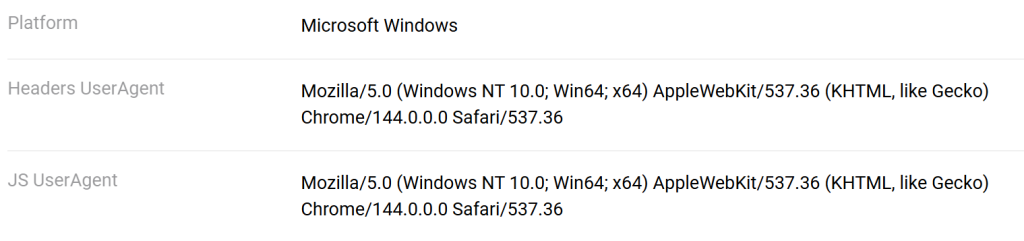
Adjust settings like IP addresses, user agents, and other parameters to secure your identity and make it difficult for websites to track your activities. You can enable WebRTC blocking, disable WebGL, choose CPU threads, and set custom headers, etc.
Set Up Proxies
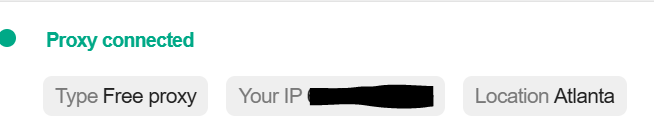
Assign a dedicated proxy IP address to each profile. Using a clean proxy, such as Proxying, for each account is important for preventing bans.
Launch and Use
Use the profiles to browse the web, making sure there is no cross-tracking between profiles. This way, you can perform different kinds of online activities without being tracked or profiled.
How to Verify if Your Anti-detect Browser Can Bypass Anti-Fraud Detection Systems?
Use Fingerprint Checkers
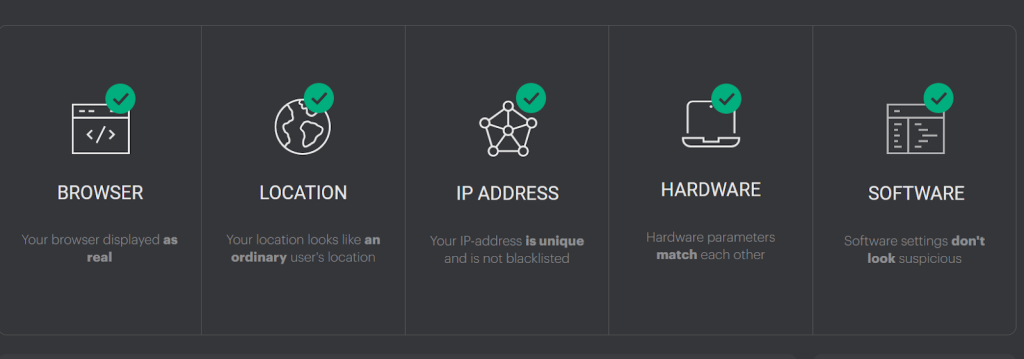
You can test profiles on sites like iphey.com or PixelScan to verify your digital fingerprint is not flagged as a bot, proxy, or data center.
Verify IP
You can also verify your IP address matches the location you expect by checking the IP address tab. This ensures that your real IP address isn’t leaking through WebGL or Canvas fingerprinting.


Check Browser Headers and Canvas
Verify if the browser correctly spoofs data such as canvas rendering, WebGL, user-agents, fonts, and screen resolution.
Confirm Consistency
The anti-detect browser must be able to maintain a consistent, unique fingerprint for each profile (cookies) to prevent data leakage across sessions. To make sure, check at regular intervals, such as every 30 mins.
5 Best Anti-detect Browsers
Why Should You Combine an Anti-detect Browser with Rotating Proxies
For better online privacy and more compatible multi-account management, many users combine an anti-detect browser with rotating proxies. It works as a double shield, i.e., the browser hides and manages your browser fingerprint, while rotating proxies change your IP address regularly.
This ensures both IP variation and fingerprint consistency.
Are Anti-detect Browsers Legal?
Anti-detect browsers themselves are legal software tools. They are commonly used for privacy protection, digital marketing, testing, and research.
However, misuse, such as violating platform terms, committing fraud, or engaging in illegal activity, can result in penalties.
The legality depends on how the tool is used.
How to Choose an Anti-detect Browser
Choosing the right anti-detect browser is essential if you manage multiple accounts, run automation tasks, or handle web scraping operations. Here are some key factors you should consider before choosing an anti-detect browser.
If you’re comparing available tools, our guide to the best anti-detect browsers reviews the top options, compares their fingerprint protection, pricing, proxy support, and testing results to help you choose the right one.
Check OS Compatibility
See if the anti-detect browser supports your operating system. Some browsers only work on Windows, while others support macOS, Linux, and even Android.
If you’re looking for mobile-friendly options, check out our guide to the best anti-detect browsers for Android to see which tools offer native Android apps, cloud Android devices, or Android fingerprint simulation.
Fingerprint Realism
Fingerprint masking is the main feature of any anti-detect browser. The browser should not merely randomize the data; it should generate consistent browser fingerprints. Look for coverage of the critical fingerprint elements such as:
- Canvas fingerprinting
- WebGL
- Audio context
- User agents
- Screen resolution
- Fonts and plugins
Ensure the browser covers and randomizes data points, including canvas, WebGL, audio context, and user agents.
Proxy Integration Support
A good anti-detect browser should work well with the proxies.
Check whether it supports:
- HTTP/HTTPS proxies
- SOCKS5 proxies
- Rotating proxies
The easier it is to configure proxies with your preferred provider, the smoother your workflow will be.
Automation Compatibility
If you plan to scale your operations, choose an anti-detect browser that supports API access and integration with tools like Selenium or Puppeteer. This allows you to automate profile management, web scraping, and multi-account workflows efficiently.
Team Features
Look for an easy interface, especially if you manage multiple profiles. Check for features like cookie sharing and team access permissions. Ensure the browser allows proper synchronization between IP geolocation and fingerprint settings to avoid inconsistencies.
.


