

It gets difficult to run multiple Facebook accounts when you have to switch between accounts, maintain separate login sessions, or manage multiple accounts for work.
Facebook also logs who logs in and how they use their accounts. Security checks or temporary restrictions may be triggered by frequent changes of devices, locations, and IP addresses.
In this guide, we’ll be covering some of the most effective ways to handle multiple Facebook accounts, including using separate browser profiles, dedicated proxies, and anti-detect browsers. We’ll also discuss the situations in which multiple accounts are appropriate, the reasons why accounts may be restricted and some best practices for maintaining an organized account setup.
Why Does Facebook Restrict Multiple Accounts?
Not everyone who uses more than one account on Facebook is automatically banned. But having multiple accounts can result in Facebook’s security measures being activated if it detects suspicious activity, automated activity or behavior related to abuse.
Often these reasons are:
- Multiple logins from different IP addresses: If an account is logging in from various IP addresses or locations, it may appear to be compromised.
- Repeated logins from different locations: Multiple logins from a single device or frequent login changes could lead to further verification.
- Spam-like activity: Spamming can be defined as sending out large amounts of messages, friend requests, comments, and other activities in a short time frame, and this activity can result in restrictions.
- Automation: Bots and automated tools that automate actions on Facebook can run afoul of Facebook’s rules and raise the possibility of restrictions.
- Fake or misleading account information: Enforcement will be considered against accounts that are impersonating people or misrepresenting their identity.
- Previous violations of policy: Individuals with previous policy violations may have further checks or restrictions.
That’s why it is not sufficient to just know how to log in to multiple Facebook accounts. There is also a need for a consistent setup for every account, and it is advisable to refrain from actions that resemble spam, automation or account misuse.
It is better for businesses, agencies, and advertisers to use Facebook’s built-in account, page, and Business Manager feature than to create unnecessary personal accounts. You can also manage several ad accounts without having to set up a separate Facebook profile for each ad campaign using Meta’s business tools.
How to Manage Multiple Facebook Accounts [Simple Methods]
Download an Anti-Detect Browser
Use an anti-detect browser to generate browser profiles that have a distinct cookie, storage, and browsing profile. This can help avoid having to keep track of each account in one browser profile.
Multiple profiles can also help prevent accidental switching between multiple sessions or business assets. Individual profiles have separate bookmarks, extensions, and settings, as well as their own logins.
Before choosing one, check that the browser supports multiple profiles and has features suited to your workflow. You can also compare options in our guide to the Best Anti-Detect Browsers for Facebook Ads.
How to Manage Multiple Facebook Accounts With an Anti-Detect Browser
With an anti-detect browser, you can make a new browser profile for each of your Facebook accounts. All the cookies, local storage and logins are different for each profile.
A basic system is set up as follows:.
A simple setup looks like this:
- Create a separate browser profile for each account.
- Give each profile a clear name so you know which account it belongs to.
- Log in to Facebook only inside its assigned profile.
- Keep the profile consistent instead of repeatedly changing its settings or environment.
- Avoid automated actions such as bulk messaging, mass friend requests, or bot-driven activity.
- Use Facebook’s business tools when managing Pages or advertising accounts rather than creating unnecessary personal profiles.
For instance, an agency with three clients may have three different browser profiles, A, B and C, when opening their Facebook account and can log in as each of these profiles, ensuring that each one remains separate and the risk of posting or advertising on the wrong profile is minimised.
The anti-detect browser is not meant to circumvent Facebook’s restrictions. Changing the browser environment is not a way to make a violation of Facebook’s policies “safe”.
Use a Dedicated Proxy
A dedicated proxy assigns the same IP address to your connection as you use it all the time, without sharing it with other users. This can be beneficial when handling many Facebook accounts to keep the connection between each account a little more consistent.
For instance, you can set Proxying’s proxy according to browser profiles if you have multiple accounts for managing each one. This prevents mixing up the profiles and avoids using the same proxy for all accounts.
Dedicated proxies can be especially useful for account management that requires frequent logins from the same device. But a proxy doesn’t excuse policy violations and doesn’t ensure that an account will never be restricted.
If you are comparing dedicated and shared IPs, see our guide to Dedicated IP vs Shared IP.
How to Use a Dedicated Proxy for Multiple Facebook Accounts
The IP address of a dedicated proxy can be bound to a certain browser profile, ensuring that the account uses the same address every time. This can help you with maintaining multiple Facebook sessions organized.
Example: Create your setup as follows:
| Facebook Account | Browser Profile | Proxy |
|---|---|---|
| Account 1 | Profile 1 | Dedicated Proxy 1 |
| Account 2 | Profile 2 | Dedicated Proxy 2 |
| Account 3 | Profile 3 | Dedicated Proxy 3 |
The important part is consistency. Try to avoid constantly moving an account from one IP address to another or to a different location, as this may result in further security checks.
A residential proxy can offer IP addresses that are linked to actual residential networks when selecting an IP address. You can learn more about your options in our guide to Top Residential Proxy Provider Companies in 2026.
A proxy needs to be used for a steady connection and to manage reasonable account actions. Don’t use it to hide spam, automation, fake accounts, or other activity that goes against Facebook’s policies.
Use Separate Browsers for Each Account
Source: Multilogin
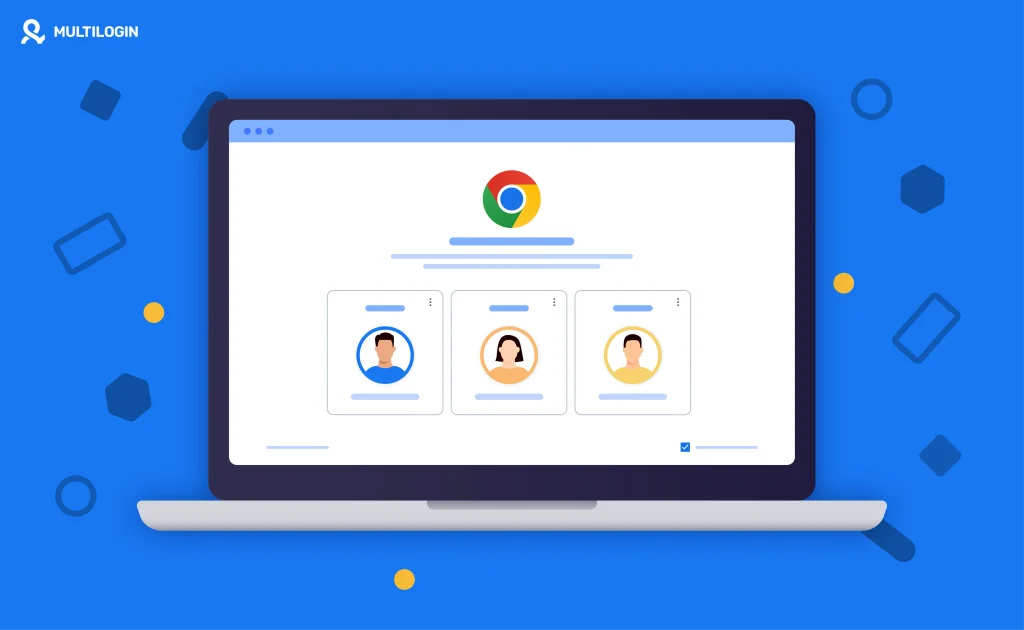
This is one of the easiest methods to organize multiple Facebook accounts using different browsers. One way to do this is to have a separate browser or browser profile for each account instead of opening them all in the same browser.
You can have Edge for one, Chrome for another, and Firefox for a third account, for instance. Each browser has its own cookies and logins, which helps you to switch from one account to another without logging in and out all the time.
This method is helpful if you’re not looking for advanced browser management options and only have a handful of accounts to manage. If your setup is larger, you can have multiple browser profiles, which are easier to organize than multiple browsers.
How Separate Browser Profiles Work
A browser profile has the ability to create a different environment in the same browser. It includes profile-specific cookies, saved sessions, bookmarks, extensions, and browsing history.
If you’re using Chrome, for instance, you can have one profile per Facebook account. You can then log into the relevant profile when you want to access that profile.
This will make it easier to log in to other Facebook accounts without having to sign out of and back into the account all of the time.
A basic setup could look like this:
| Browser Profile | Facebook Account | Purpose |
|---|---|---|
| Profile 1 | Account 1 | Personal or business use |
| Profile 2 | Account 2 | Client account |
| Profile 3 | Account 3 | Another business account |
Note: Separate profiles aid in organization, but they will not be able to bypass Facebook’s account policies. But each account should be used as intended and within the guidelines set by Facebook.
When You Need Multiple Facebook Accounts
For some people, there are several valid instances where they may want to manage other Facebook accounts or Facebook business assets. It’s important to have the right configuration based on the type of management you want.
Common examples include:
- Social media agencies: An agency can run multiple Facebook accounts and Pages for multiple clients.
- Multiple businesses: If you have multiple brands, you’ll need to handle the assets of each individual business separately.
- Marketing teams: Marketers in different roles or teams might require access to certain Pages, ad accounts, or business portfolios.
- Advertising: Companies can handle a number of ads accounts for various brands, regions, or campaigns.
- Different markets: Business assets used in different markets may be separate from the company’s home market.
- Personal and professional use: A person might want to use Facebook for both personal and work purposes.
But, don’t necessarily need multiple personal Facebook profiles if you have multiple business assets. Meta offers tools that allow you to manage Pages, ad accounts, and more from one account.
When it comes to managing multiple Facebook ad accounts, it’s generally a better option to use Meta’s business management tools than to create additional personal accounts just to differentiate your ad activities.
What Happens if Facebook Detects Multiple Accounts
If Facebook detects that you’re using multiple accounts, it is not guaranteed that all accounts will be banned. This will depend on why the accounts were created and if any activity on the accounts is in accordance with Facebook’s terms and conditions.
That’s dependent on the situation; Facebook will require you to verify your identity, or your security, or to confirm that you have just logged in, or may temporarily disable some features, like messaging or friend requests. Facebook can also limit or ban the account if it detects activity that they consider to be a violation of their policies.
If you are given a restriction, don’t make new accounts to replace the one that has been restricted. Instead, please check the notification that Facebook sent you and follow the appeals or verification process provided.


