

Pokémon Center restocks don’t wait for you. A limited set goes live, thousands of buyers rush the page, and within minutes, sometimes seconds, it’s gone. Refreshing manually isn’t a strategy. It’s a lottery.
The collectors consistently landing limited releases aren’t faster at clicking. They have systems that monitor inventory around the clock and alert them the moment products become available.
This guide covers how to monitor Pokémon Center releases, how these systems work, which tools to use, how to configure them, and what infrastructure keeps them running without being blocked.
How Pokémon Center Restocks Actually Work
Pokémon Center publishes no official restock schedule. But real tracking data from TrackaLacker, built from monitoring hundreds of drops through 2025, reveals clear patterns you can plan around.
Restock Timing Windows
Most drops happen during a predictable ET window on weekdays. Here’s how the day breaks down by activity level:
| Time (ET) | Activity | Notes |
|---|---|---|
| Before 10 AM | Rare | Occasional outliers, not worth active monitoring |
| 10 AM – 2 PM | Peak | Most common window, highest drop frequency |
| 2 PM – 3:30 PM | High | Afternoon drops, still very active |
| After 3:30 PM | Low | Drops do occur, but far less common |
| Evenings / Weekends | None | Pokémon Center does not restock outside weekday business hours |
The practical takeaway: if you’re doing any manual checking, concentrate it between 10 AM and 3:30 PM ET on weekdays. If you’re running automated monitors, keep them running 24/7 (the occasional early-morning outlier does happen), but prioritize alert responsiveness during that core window.
Real Drop History: Recent Examples
These are confirmed drops from TrackaLacker’s 2025 tracking data:
| Date | Time (ET) | Product |
|---|---|---|
| Jan 9, 2026 | 11:38 AM | Perfect Order Booster Bundle, ETB, Display Box |
| Dec 3, 2025 | 1:14 PM | Shrouded Fable Booster Bundle |
| Dec 1, 2025 | 10:51 AM | White Flare ETB, Black Bolt ETB, Paradox Rift Boosters |
| Nov 25, 2025 | 11:45 AM | Ascended Heroes Booster Bundle |
| Nov 24, 2025 | 1:43 PM | Ascended Heroes ETB |
| Nov 19, 2025 | 2:11 PM | Trainer Toolkit, Mega Diancie, Stellar Crown ETB |
| Nov 11, 2025 | 1:31 PM | Surging Sparks Booster Boxes |
| Nov 5, 2025 | 12:43 PM | Astral Radiance Build & Battle Box |
Every drop in this sample hits between 10:51 AM and 2:11 PM ET. The pattern holds consistently.
Frequency and Quantity
TCG products restock roughly 1-3 times per week, with some weeks seeing no drops at all. October-November 2025 saw 12 significant events, averaging 1.5 per week.
Quantities vary widely with no way to predict in advance. Some restocks clear in under two minutes. Others stay live for 20-30 minutes. Both trigger the queue system, which is covered in detail below.
That unpredictability is what makes automated monitoring essential. Knowing the right time window only gets you so far. You still need an alert the moment a specific product goes live.
The Monitoring Stack: What Actually Works
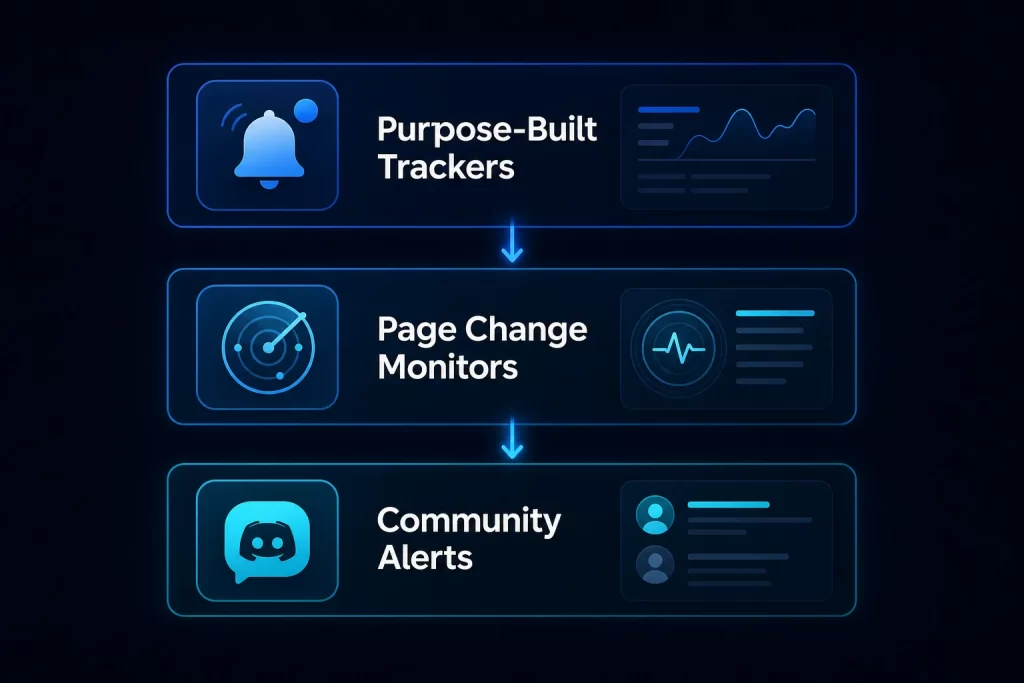
No single tool covers everything. Effective monitoring combines a purpose-built tracker, a page-change monitor, a notification layer, and a community backup channel. Each handles a different failure mode.
Purpose-Built Restock Trackers
TrackaLacker is the most capable option specifically for Pokémon Center. It monitors queue activation directly, not just page changes, so you get alerted the moment a drop starts, before most page-change monitors catch it. It covers US, UK, and Canada stores, offers app push notifications on iOS and Android, email, Discord, and Twitter/X alerts, and has a 30,000+ member Discord community sharing tips in real time. For Pokémon Center drops specifically, it’s the most reliable early-warning system available.
Visualping is the most widely used general-purpose page monitor in the TCG community, with over 6,000 active Pokémon monitors at any time. The key is precision: pin it to the Add to Cart button element, not the whole page. Whole-page monitoring fires on every minor layout change and drowns the real signal in noise. Paid plans support 5-minute check intervals. For high-demand drops, that frequency matters.
Restockd and RestockR X are purpose-built for TCG and collectible drops, delivering push notifications directly to mobile. RestockR X is iOS-only but notably fast on Pokémon Center alerts. Both handle the page-watching layer for you, which makes setup quicker than configuring Visualping from scratch.
Community Channels
Discord servers and Reddit communities are often faster than commercial monitoring tools because human spotters catch drops in real time. The most active communities: r/PokemonReStocked (7,600+ members) and r/pokemonrestockr (16,300+ members). Regional Discord servers with dedicated bots add another layer of coverage.
The limitation is lag. Someone has to spot the drop, post it, and ping the channel. That gap is often long enough for high-demand items to sell out. Use community channels as a backup signal, not your primary one.
Twitter/X Accounts
Dedicated restock accounts like @PokemonStockUS post inventory changes within seconds of detection. Enabling push notifications for these accounts adds a fast, low-maintenance alert layer that requires no setup beyond a follow.
Configuring Your Monitors
The tool matters less than how you configure it. A well-configured Visualping monitor on the right page beats a poorly configured purpose-built tool on the wrong one.
What Pages to Monitor
Most guides tell you to watch product pages. That’s correct but incomplete. The full priority list:
- Individual product pages for specific sets you want. Highest priority. Set these up before release day, even when the product shows as sold out.
- pokemoncenter.com/category/new-arrivals catches products you weren’t tracking when they first appear. This is where surprise restocks and new listings show up.
- Category pages (TCG, plush, accessories) are a useful broad sweep but generate more false positives. Lower priority, worth monitoring during high-frequency drop periods.
Check Intervals by Product Type
Not every product needs the same monitoring intensity.
| Product Type | Recommended Interval |
|---|---|
| Major set releases (Prismatic Evolutions, Destined Rivals) | 5 minutes |
| Standard restocks | 15 minutes |
| New arrivals sweep | 30 minutes |
Tighter intervals generate more requests from your IP address, which has consequences covered in the next section. Set monitors before the expected drop window. By the time a major restock goes live, traffic surge alone can delay alert delivery by critical seconds.
Notification Chains
Layer notifications for redundancy. A Pokémon Center restock window can close in under two minutes:
- App push (TrackaLacker, Restockd, RestockR X): fastest delivery path
- SMS: backup for when app notifications miss you
- Discord ping: useful when monitoring with a group
Not all alerts need the same response. Pokémon Center exclusives and Prismatic Evolutions-tier releases require immediate action. Standard restocks at major retailers typically give you a 15-30 minute window. Calibrate your response urgency to the product, not every alert equally.
The Queue System: What You Need to Know
Pokémon Center activates a virtual queue during high-traffic releases. This is the most misunderstood part of the process and where unprepared buyers waste their position.
How it works: When the queue opens, your position is randomly assigned. It is not first-come-first-served in the traditional sense. Opening multiple tabs, refreshing, or trying alternate links does not improve your position. Refreshing actually resets your place in line.
Pokémon Center’s own guidance confirms this:
“Opening Pokemon Center in multiple tabs, using alternate links, or attempting any workarounds will not help you bypass the virtual queue, and those actions may result in other technical errors.”
Queue doesn’t guarantee purchase. Wait times range from one minute to two hours. If inventory sells out while you’re waiting, you exit empty-handed.
Prepare before the queue opens:
- Log into your account before the drop, not during it
- Save your shipping address and payment method in advance
- Clear browser cache and cookies
- Disable VPN (Pokémon Center blocks many VPN IPs at the network level)
- Install the mobile app as a backup checkout path
The 5-10 minute window after a drop goes live is your realistic entry window. TrackaLacker’s data shows that buyers who enter the queue within that window still have a strong chance of securing the product. The window is tight but not as instant as it feels during a high-demand drop.
One important note on VPNs: standard consumer VPN IPs are commonly flagged by Pokémon Center’s bot protection. If you use a VPN for privacy, disable it before entering the queue. This is separate from proxies used for automated monitoring, which are covered below.
Preventing Your IPs From Getting Flagged
Here’s what most monitoring guides skip entirely. Frequent automated requests to Pokémon Center product pages will eventually get your IP flagged. The site runs Akamai and PerimeterX bot protection, which tracks request frequency, timing patterns, and IP reputation. When your monitoring setup starts generating traffic that looks like a bot, you get rate-limited or blocked.
For manual checks, this is not an issue. For automated monitors running every 5 minutes across multiple products, it becomes one quickly.
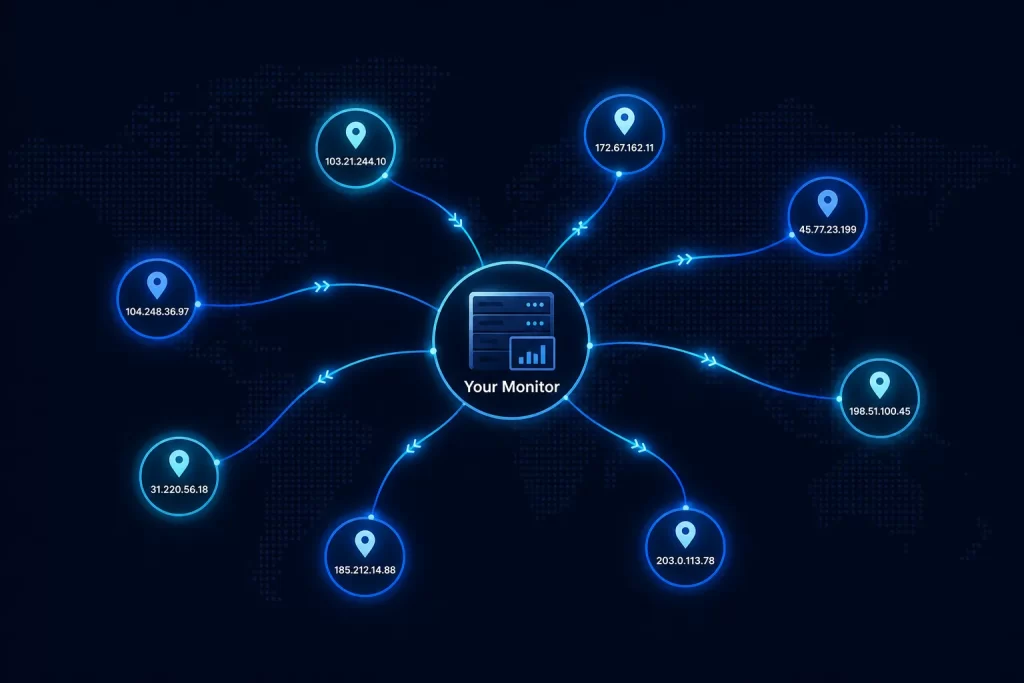
The solution is rotating residential proxies, which distribute requests across a pool of different IP addresses assigned by real ISPs. No single address accumulates enough requests to trigger detection thresholds. Residential proxies are the reliable option for sustained automated monitoring on Pokémon Center because the protection distinguishes residential traffic from datacenter traffic and blocks the latter at a high rate.
For monitoring across multiple retailers simultaneously, ISP proxies (static residential IPs from premium ASNs) offer a strong middle ground. They’re faster than rotating residential proxies and hold stable sessions without mid-monitor IP changes, which makes them well-suited for long-running multi-retailer setups. The full comparison of proxy types for this use case is covered in detail in which proxies are best to use with Pokémon Center.
One practical rule: keep your monitoring proxy pool separate from your checkout proxy pool. Running both monitoring requests and checkout tasks through the same IPs accelerates detection risk on both fronts. A ban on the monitoring layer shouldn’t cascade into your checkout sessions.
Going Further: Automated Checkout
Monitoring tells you when inventory appears. Automated checkout lets you act faster than any human can click. For the most competitive Pokémon Center drops, the gap between “alert fires” and “checkout complete” determines whether you land the product.
All-in-one bots (AIO bots) handle this layer. Stellar AIO has a dedicated Pokémon Center module and handles the site’s bot detection better than general-purpose alternatives. It trades on the secondary market at $100 to $300 depending on availability. BotBro covers a broader set of retailers and is worth considering if you’re targeting multiple sites beyond Pokémon Center.
Every AIO bot requires clean proxies to function. The proxy requirements are more demanding than for monitoring alone:
- Rotating residential proxies for the monitoring and availability-check layer
- Sticky residential proxies for queue entry, cart, and checkout (never rotate IPs during these stages)
- Separate pools per retailer to prevent a ban on one site from affecting others
For a full breakdown of how to configure proxy sessions around a Pokémon Center drop, including which stages need sticky vs. rotating IPs and how to avoid CAPTCHA triggers, see how to reduce proxy bans during Pokémon Center drops.
Your Setup (By Collector Type)
More automation is not always better. Match the setup to your actual goals.
Casual collector: TrackaLacker free tier for queue alerts. Join the TrackaLacker Discord or r/PokemonReStocked for community backup. Prepare your account, shipping address, and payment method before any expected drop window. This is enough for lower-competition restocks and mid-tier products where the window is measured in minutes rather than seconds.
Regular buyer: TrackaLacker plus Visualping on individual product pages and the New Arrivals sweep. 5-minute check intervals during known drop windows. Layered push and SMS notifications. Rotating residential proxies on your monitoring setup to avoid IP flags over time. This covers most Pokémon Center restocks reliably without requiring AIO bot infrastructure.
Serious or high-competition drops: Full automation stack. Rotating residential proxies for monitoring, sticky residential for queue and checkout sessions, AIO bot for automated purchase, separate proxy pools per function. This level of setup is what’s required to compete on Prismatic Evolutions-tier releases, where manual checkout is effectively uncompetitive against organized resellers running parallel checkout tasks.
2026 Releases Worth Monitoring Now
A few sets with active or upcoming restock cycles in 2026:
- Prismatic Evolutions: Extreme demand, ongoing restocks through 2026. Five-minute monitoring is the minimum. This is where Tier 2 and Tier 3 setups earn their value.
- Destined Rivals: Active Scarlet and Violet series drop cycle with queue events already tracked through mid-2026.
- Scarlet and Violet sets: Quarterly release cadence throughout the year, with each new set triggering a restock wave across both Pokémon Center and mass retail.
- Perfect Order: The next expected major drop, with queue events anticipated to follow the same midday ET pattern.
Set your monitors before the expected drop window and leave them running continuously. Turning them on only when you expect a drop means you’ll miss the unannounced restocks, which are common. For timing patterns across Target, Walmart, Amazon, and GameStop alongside Pokémon Center, the guide on how to buy Pokémon cards online before they sell out covers each retailer’s restock schedule in detail.
What Separates Successful Buyers
The collectors who consistently buy at retail price share a few habits. They build their monitoring setup before a drop, not during it. They use TrackaLacker or equivalent queue-detection tools rather than relying on page refreshes. Lastly, they prepare their accounts so checkout takes seconds, not minutes. And for high-demand drops, they use Pokémon Center proxies to keep their monitoring infrastructure running without getting flagged.
None of this requires advanced technical skills. TrackaLacker has a free tier and a mobile app. Setting up Visualping on a product page takes less than 2 minutes. The proxy layer is the most complex piece, but it’s only necessary if you’re running automated monitoring at volume or competing on the highest-demand drops.
Start with the free tools. Test the setup on a lower-stakes restock. Add the proxy layer when you’re ready to compete on the drops that actually matter. The system compounds: every drop you catch gives you a better read on timing patterns, queue behavior, and which tools work best for the specific products you’re after.


