

Most anti-detect browser comparisons skip a critical question: what does “Android” actually mean to you?
If you want to open the app on your phone and manage accounts from a couch, that is a completely different need than running 200 browser profiles that report Android fingerprints while you work from a desktop. Both are legitimate. Both require different tools. And almost no comparison article separates them.
If you are new to the concept, this explainer on what an anti-detect browser actually does is a good starting point before diving into product comparisons.
This guide draws a clear line between the 3 categories, then reviews the best option in each.
The 3 “Androids” – Which One Applies To You?
Before comparing any specific tools, understand the landscape:
Native Android Apps: These are actual apps you install on an Android device. They run directly on mobile hardware, with a real Android kernel, real ARM chip signals, and genuine mobile sensor data. This is the hardest category to fake and the rarest to find. GoLogin is currently the only major anti-detect browser with a full Android app on Google Play.
Cloud Android Phones: These services spin up actual Android devices running on ARM-based cloud servers. You access them remotely through a browser or thin client. The device fingerprint is 100% real Android because it is running on real Android hardware, just not in your hands. Multilogin’s mobile profiles work this way.
Desktop Browsers Simulating Android: This is the largest category by far. These are Windows or macOS applications that spoof Android fingerprints inside a Chromium-based browser. They never run on real Android hardware, but they can convincingly report Android User-Agent strings, mobile screen resolutions, touch support, and sensor data. AdsPower, Kameleo, Dolphin{Anty}, and Octo Browser all fall into this category.
Each type has a different price point, use case, and detection risk profile. With that framework in mind, here are the best tools in each.
Side-by-Side Comparison
| Browser | Android Support | Free Tier | Starting Price | Best For |
|---|---|---|---|---|
| GoLogin | Native Android app | 3 profiles | $9/mo | Mobile-native use |
| Multilogin | Real ARM hardware (cloud) | 5 profiles, 30 min | $7.08/mo (annual) | Maximum undetectability |
| AdsPower | Simulated fingerprints | 2 profiles | $9/mo | Budget teams |
| Kameleo | Simulated fingerprints | 2 profiles | €59/mo | Developer API access |
| Dolphin Anty | Simulated fingerprints | 5 profiles | $10/mo | Affiliate/media buying |
| Octo Browser | Simulated fingerprints | 3 profiles | €10/mo | Fingerprint accuracy |
Looking beyond Android support? Our roundup of the best anti-detect browsers compares the leading tools across fingerprint protection, automation, proxy integration, pricing, and real-world performance.
GoLogin: Best Anti-Detect Browser for Android (NativeApp)
GoLogin is the only major anti-detect browser with a proper Android app available on Google Play. For anyone who genuinely needs to manage accounts from a real mobile device, this makes GoLogin the default starting point.
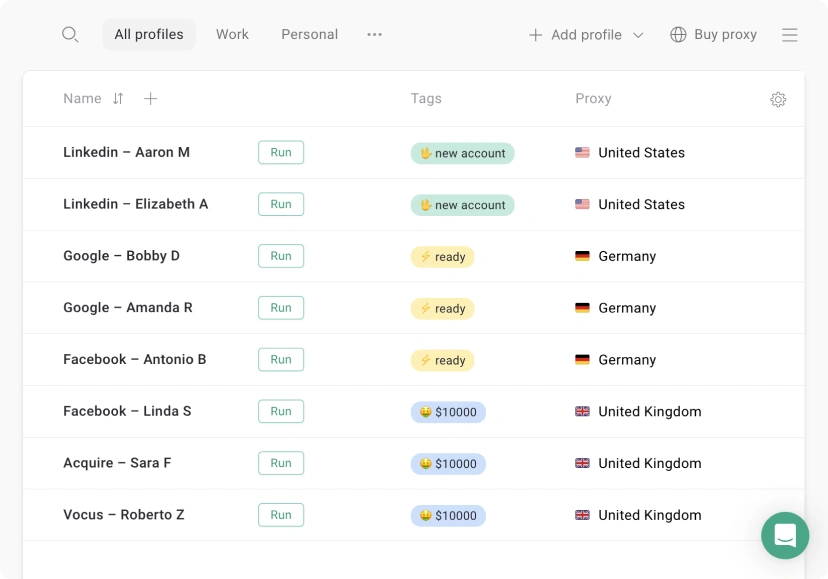
The Android app lets you create and switch between browser profiles on your phone, each with isolated cookies, storage, and configurable fingerprints. GoLogin assigns each profile a unique digital identity, different User-Agent, screen resolution, timezone, and language settings, so accounts look like they come from different devices.
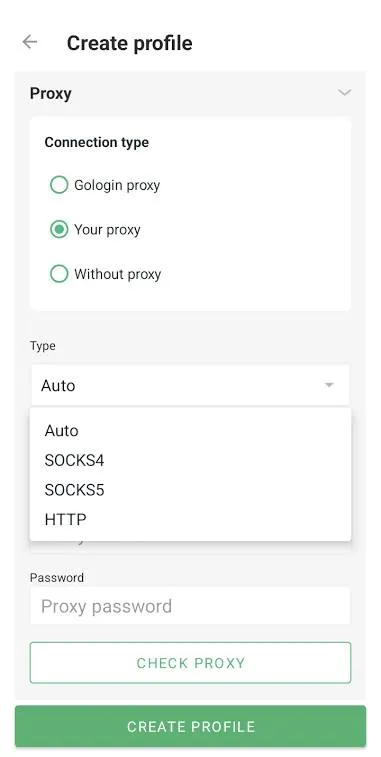
The mobile app connects to the same profile library as the desktop app and web panel, so teams working across devices share the same account configurations.
Pros
- Only major option with a genuine Android app on Google Play
- Cross-platform profile sync between mobile, desktop, and web
- Clean interface that works well on small screens
- Free tier available (3 profiles)
- Proxy integration built into every profile
Cons
- Free tier is very limited for team use
- Mobile app has fewer fingerprint customization options than the desktop version
- Some advanced automation features are desktop-only
Pricing
| Plan | Profiles | Monthly | Annual |
|---|---|---|---|
| Free (7-day Trial) | 3 | $0 | $0 |
| Professional | 100 | $9/mo | $4.50/mo |
| Business | 300 | $119/mo | $59.50/mo |
| Enterprise | 500+ | $299/mo | $149.50/mo |
Verdict: GoLogin is the right choice if you need to physically use an anti-detect browser on an Android device. No other tool in this category matches it for mobile-native use.
Multilogin: Best Cloud Android Phones
Multilogin takes a different approach to Android. Instead of simulating mobile hardware, they run actual ARM-based Android devices in the cloud. When you launch a mobile profile, you are connecting to real Android hardware, not a spoofed fingerprint on top of a desktop processor.
This matters because platform detection systems have gotten very good at identifying hardware inconsistencies. An Intel or AMD chip reporting as a Qualcomm Snapdragon is a detectable mismatch for sophisticated anti-bot systems. Multilogin’s cloud Android sidesteps this entirely by running real ARM chips.
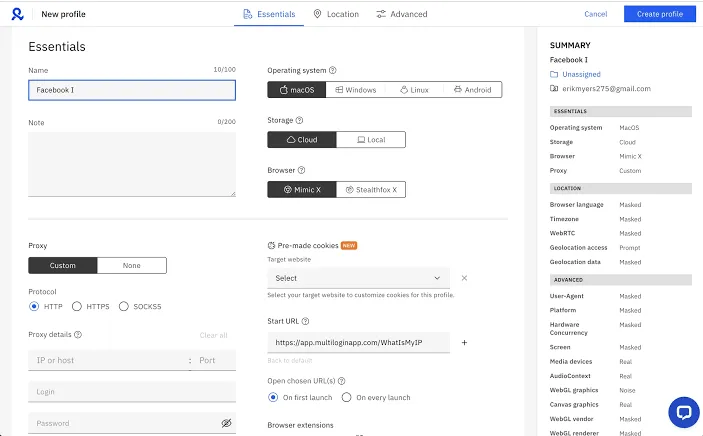
The tradeoff is cost. Mobile sessions are billed at $0.011 per minute, which adds up quickly for high-volume operations. But for accounts where detection risk is the primary concern, especially social platforms with aggressive fingerprinting, paying for real hardware fingerprints is often worth it.
Multilogin also has one of the stronger integration ecosystems in this space. If you run residential proxies through Proxying.io, there is a step-by-step guide for connecting Proxying proxies to Multilogin that covers the full setup process.
Pros
- Real ARM Android hardware, not simulated fingerprints
- Unmatched fingerprint authenticity for mobile profiles
- Strong browser fingerprint isolation for desktop profiles too
- Good team collaboration features
- Regular fingerprint database updates
Cons
- Mobile session pricing ($0.011/min) can get expensive at scale
- Higher entry cost than most competitors
- Learning curve for new users
Pricing
Mobile sessions are billed separately at $0.011/min regardless of plan.
| Plan | Profiles | Monthly | Annual |
|---|---|---|---|
| Free | 5 (30 min limit) | $0 | $0 |
| Starter | 100 | $11/mo | $7.08/mo |
| Pro | Unlimited | $89/mo | $57.08/mo |
| Business | Unlimited | Custom | Custom |
Verdict: Multilogin is the best choice when detection risk is the top priority and you need Android fingerprints that are genuinely undetectable rather than just plausible.
AdsPower: Best Free Tier for Android Fingerprint Simulation
AdsPower is the most widely adopted anti-detect browser for Android by user count, with over 9 million registered users. It runs on desktop (Windows and macOS) and lets you create browser profiles that report as Android devices, including mobile User-Agents, touch screen capabilities, and mobile screen dimensions.
For teams on tight budgets, AdsPower’s free plan is the most generous in this category: two profiles with no time limit. The paid tiers are competitively priced, and the interface is polished enough that non-technical users get productive quickly.
Android simulation in AdsPower works at the profile level. You configure an Android device fingerprint when creating a profile, and every session from that profile reports consistent mobile signals. The main limitation is that the underlying hardware is still your desktop CPU; sophisticated detection systems can sometimes identify this mismatch.
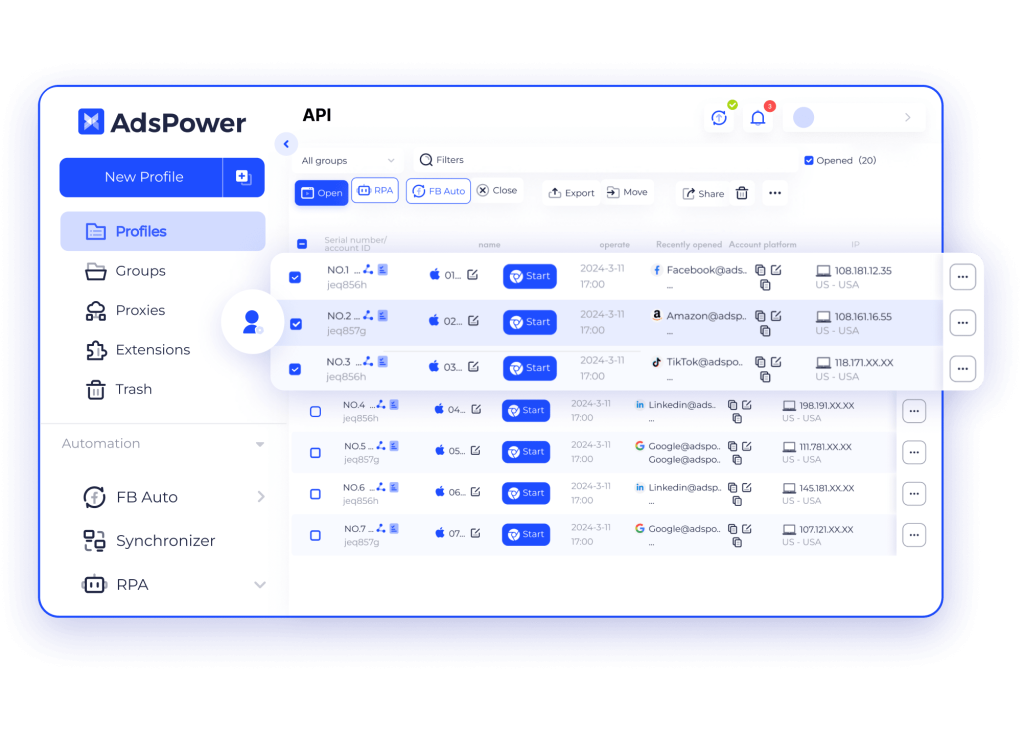
AdsPower also has solid automation support through its built-in RPA tools, which work well for repetitive multi-account tasks. If you are running AdsPower alongside residential proxies, this setup guide for Proxying residential proxies in AdsPower walks through the configuration.
Pros
- Most generous free tier in this category (2 profiles, no time limit)
- Large user community and extensive documentation
- Built-in RPA for task automation
- Competitive pricing at scale
- Supports both Chromium and Firefox kernel profiles
Cons
- Android fingerprints are simulated, not hardware-native
- Some advanced fingerprint options require higher-tier plans
- Interface can feel crowded with many profiles
Pricing
| Plan | Profiles | Price |
|---|---|---|
| Free | 2 | $0/mo |
| Professional | 10 | $9/mo |
| Professional | 100 | $50/mo |
| Business | Unlimited | $61/mo |
Verdict: AdsPower is the practical starting point for anyone exploring Android fingerprint simulation without committing to a paid plan. It is the right default for cost-sensitive teams running moderate-volume operations.
Kameleo: Best for Developers and Technical Teams
Kameleo is built for teams that want to go deep on fingerprint customization. While most anti-detect browsers give you a fixed set of fingerprint parameters to configure, Kameleo exposes its fingerprint database through a full REST API, so developers can generate and manage profiles programmatically at scale.
For Android simulation specifically, Kameleo’s mobile profile emulation unlocks at the Business tier. These profiles simulate Android devices with configurable screen sizes, touch support, User-Agent strings, and hardware parameters. Kameleo uses real browser fingerprint data collected from actual devices, so simulated profiles draw from a realistic pool rather than synthetic values.
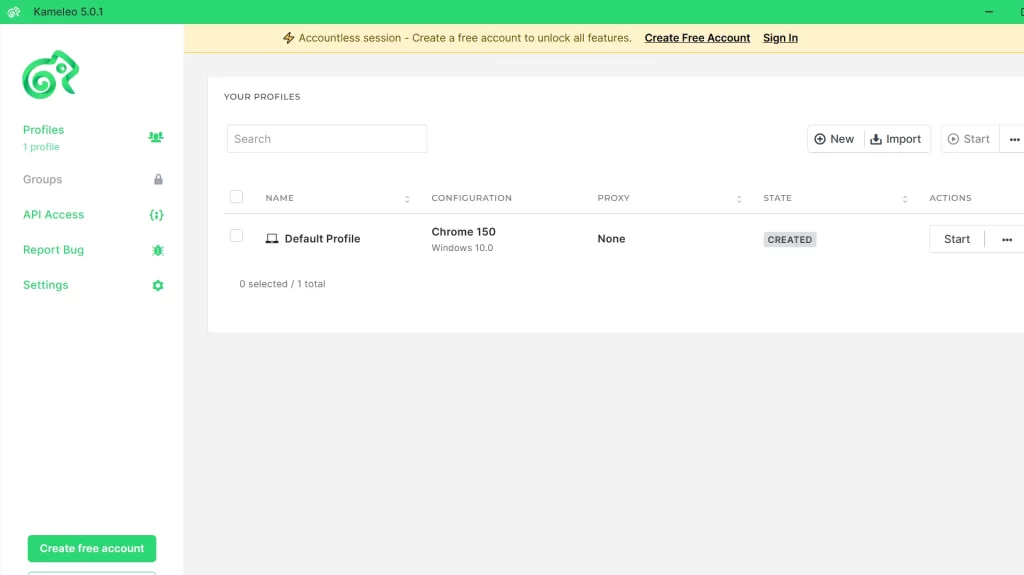
The developer focus shows throughout the product. Selenium and Playwright integrations are built in. The API is well-documented. Teams running large-scale automation workflows or scraping infrastructure find Kameleo easier to wire into existing systems than most alternatives.
Pros
- Full REST API for programmatic profile management
- Native Selenium and Playwright integration
- Realistic fingerprint database from real device data
- Supports both desktop and mobile profile emulation
- Strong documentation for technical users
Cons
- Mobile emulation only available on Business tier (€299/mo)
- Steeper learning curve for non-technical users
- Higher entry cost than AdsPower or Dolphin Anty
Pricing
| Plan | Price | Mobile Emulation |
|---|---|---|
| Free | €0/mo | No |
| Startup | €59/mo | No |
| Business | €299/mo | Yes |
| Enterprise | €1,499/mo | Yes |
Verdict: Kameleo is the right choice for development teams building automation at scale. If you do not need programmatic API access, the price premium is hard to justify.
Dolphin{Anty}: Best for Affiliate Marketers and Media Buyers
Dolphin{Anty} is built specifically for affiliate marketing and paid traffic teams. The feature set reflects that clearly: bulk profile creation for ad accounts, a synchronizer that repeats actions across multiple browser windows simultaneously, and deep integration with Facebook, TikTok, and Google Ads workflows.
For Android-related use cases, Dolphin{Anty} lets you configure mobile User-Agent strings and Android device parameters in each profile. This is useful for teams managing mobile ad accounts or running campaigns that require consistent mobile device fingerprints.
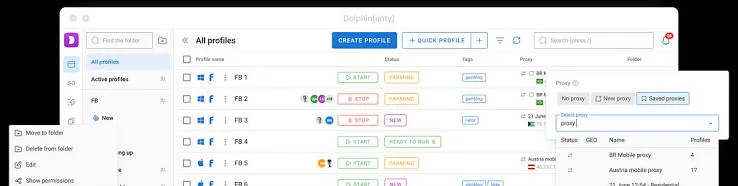
The synchronizer is Dolphin{Anty}’s standout feature. It mirrors actions across multiple profiles in real time, useful when you need to warm up accounts or run repetitive tasks across a large portfolio. Teams running Facebook ad campaigns often find this saves hours of manual work each week. For a deeper look at that use case, this guide covers the best anti-detect browsers specifically for Facebook ads.
Pros
- Profile synchronizer mirrors actions across multiple windows
- Built for affiliate and paid traffic workflows
- Strong Facebook and TikTok ad account support
- Generous free tier (5 profiles)
- Team collaboration features on paid plans
Cons
- Android fingerprints are simulated, not hardware-native
- Less customizable fingerprinting than Kameleo
- Best value requires commitment to higher-tier plans
Pricing
| Plan | Profiles | Price |
|---|---|---|
| Free | 5 | $0/mo |
| Starter | 20 | $10/mo |
| Base | 100 | $89/mo |
| Team | 300 | $159/mo |
Verdict: Dolphin Anty is the natural fit for media buying teams managing large portfolios of ad accounts. The synchronizer alone often justifies the subscription for high-volume operators.
Octo Browser: Best Overall Fingerprint Protection
Octo Browser consistently ranks at the top of independent fingerprint protection tests. It uses a custom-built browser engine with fingerprint data collected from real devices, and it passed tests on Pixelscan, BrowserLeaks, and CreepJS in third-party evaluations.
For Android simulation, Octo Browser supports mobile profile configurations with Android User-Agents, mobile viewport dimensions, touch API support, and device-specific parameters. Like other desktop tools in this tier, the fingerprints are simulated rather than hardware-native, but Octo Browser’s implementation is among the most accurate available.
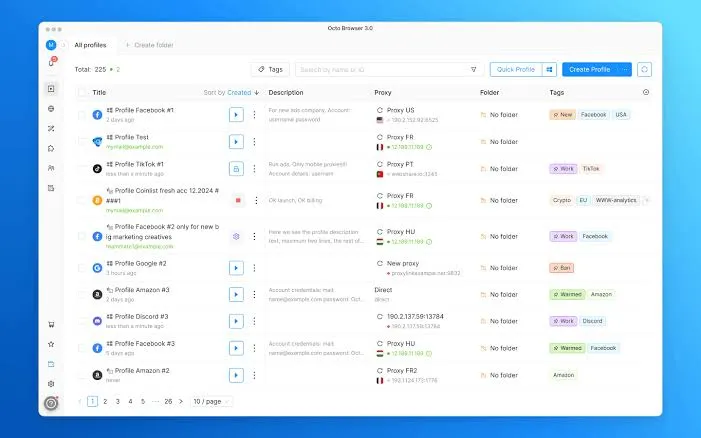
The interface is clean and handles large profile libraries well. The API tier starts at the Base plan, making Octo Browser accessible for teams that want automation without committing to enterprise pricing. Team collaboration features, including role-based access and shared profile libraries, are well-implemented on the Team and Advanced plans.
Pros
- Top-tier fingerprint protection in independent tests
- Clean interface that scales to large profile libraries
- Strong fingerprint database from real device data
- API access starting at Base tier
- Good team and role management features
Cons
- Android profiles are simulated, not hardware-native
- Entry-level plan is limited to 3 profiles
- Priced in euros, which adds FX variability for non-EU teams
Pricing
| Plan | Profiles | Members | Price |
|---|---|---|---|
| Lite | 3 | 1 | €10/mo |
| Starter | 10-30 | 1 | €29/mo |
| Base | 100-200 | 1 | €79/mo |
| Team | 350-600 | 3-6 | €169/mo |
| Advanced | 1,200+ | Unlimited | €329/mo |
Verdict: Octo Browser is the best desktop anti-detect browser for teams where fingerprint detection risk is a primary concern but real Android hardware (Multilogin) is out of budget.
How to Pick the Right Android Anti-Detect Browser
Start with the “Android” question: do you need to use the browser on an actual Android device, or do you need profiles that look like Android to the platforms you are targeting?
Use GoLogin if you need a real Android app. This is for teams managing accounts from mobile devices, not just simulating them.
Use Multilogin if detection risk is your primary concern and budget allows. Real ARM hardware produces real Android fingerprints that desktop simulation cannot fully replicate.
Use AdsPower if you are cost-sensitive or starting out. The free tier is the most generous in this category, and the platform handles moderate-scale operations well.
Use Kameleo if you are building automation infrastructure and need programmatic API control. The Business tier requirement for mobile emulation is a real barrier for smaller teams.
Use Dolphin{Anty} if you run paid traffic campaigns, especially on Facebook or TikTok. The synchronizer is a genuine productivity multiplier for affiliate teams.
Use Octo Browser if fingerprint accuracy on desktop simulation is the priority. It consistently performs best in independent detection tests for teams that cannot justify Multilogin’s mobile pricing.
In all cases, pairing your anti-detect browser with high-quality residential proxies makes a significant difference. An anti-detect browser handles your device fingerprint; the proxy handles your IP fingerprint. Both need to be consistent.


